To sync Intercom tickets to Leanbase Compass, you need to input your Intercom Access Token. To get Access Token, follow these steps:
Log in to the Intercom Developer Hub.
Navigate to the Your Apps section.
Click New App to create a new app or select an existing one.
When creating the app, choose the Internal integration option and select the workspace you want to connect.
After creating the app, click on it to open its details.
Go to the Configure > Authentication section.
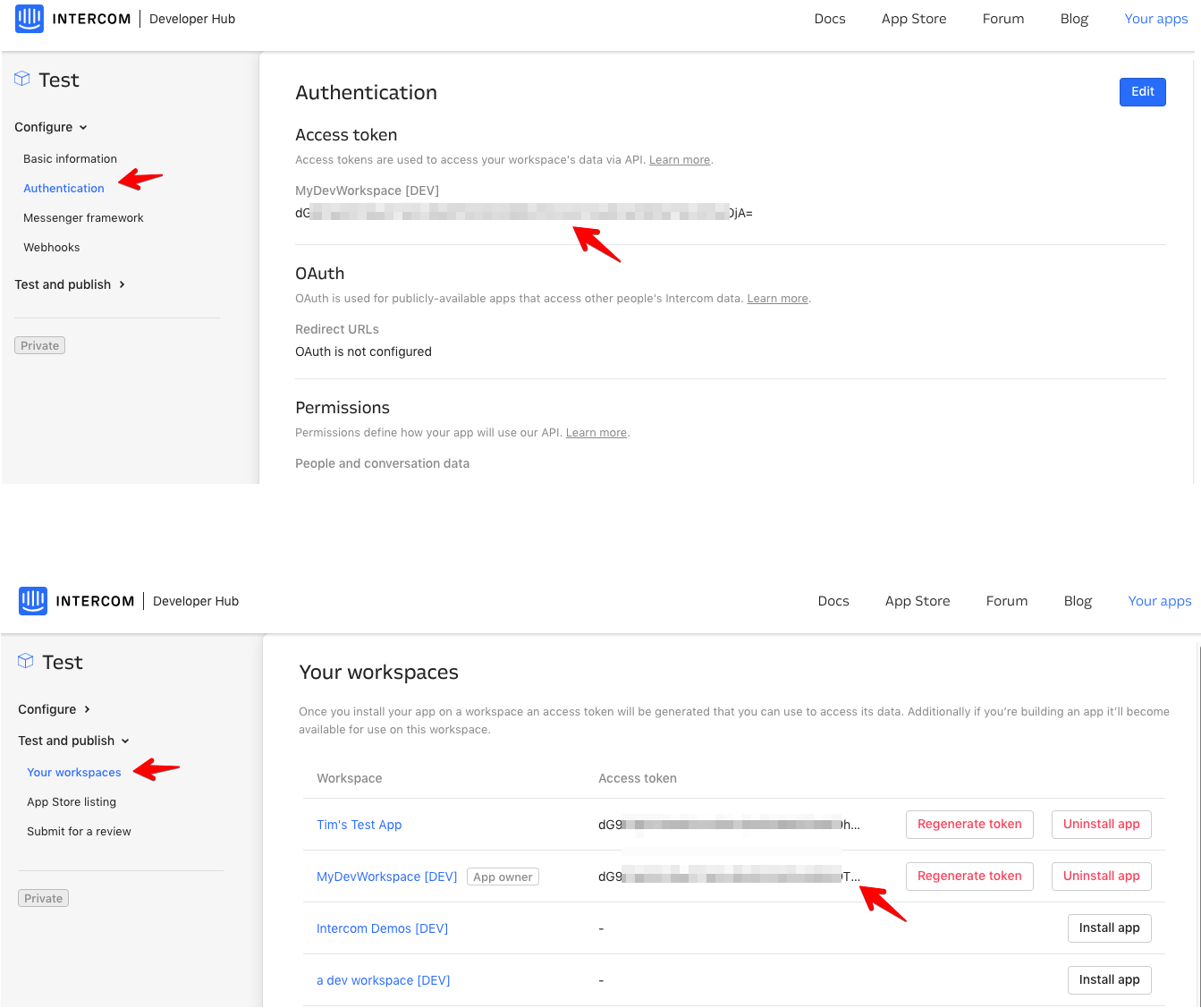 Here, you will find your Private Access Token associated with the workspace.
Note:
Pulls conversations in the last 6 months, up until your allotted conversations limit
Continuously gather new conversations, up until your allotted conversations limit
Uses 1 credit per conversations, up until your allotted credit limit