To sync Intercom tickets to Leanbase Compass, you need enter your Zendesk subdomain, API token, email to complete sync. You can check how to collect information by these following steps:
-
Connect Zendesk to Leanbase Compass
Open Leanbase Compass
Select Configuration > Channel
Click to add new connection
Select Zendesk and fill in credentials needs
Below is guide how to check your Zendesk needed credentials
2. Zendesk Subdomain
Your subdomain is the unique identifier for your Zendesk account. It appears in your Zendesk URL before ".zendesk.com" .
How to find it:
Check your URL: If host-mapping isn't enabled, your subdomain is the part of your Zendesk URL that comes after
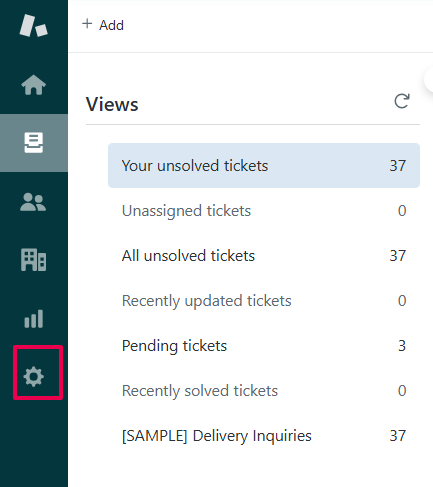
https://and before.zendesk.com. For example, inhttps://yoursubdomain.zendesk.com, "yoursubdomain" is your subdomain .Admin Center: Log in to your Zendesk account and navigate to the Admin Center. Your subdomain will be part of the URL in the Admin Center .
Note
Zendesk Sell (if applicable): If you're a Zendesk Sell customer, you can find your subdomain by going to your user profile settings in Sell, selecting "Edit Profile" from the Profile settings page, and then checking the URL of the Admin Center page that opens .
Email Request: If you can't find it, you can request a list of Zendesk subdomains associated with your email address from the Zendesk login reminder page. Enter your email, and you'll receive your subdomain(s) via email. Check your spam folder if it doesn't arrive .
3. Zendesk API Token
The API token is used for authentication when making API requests to your Zendesk account .
How to get it:
Log in to Zendesk and go to Admin Center .
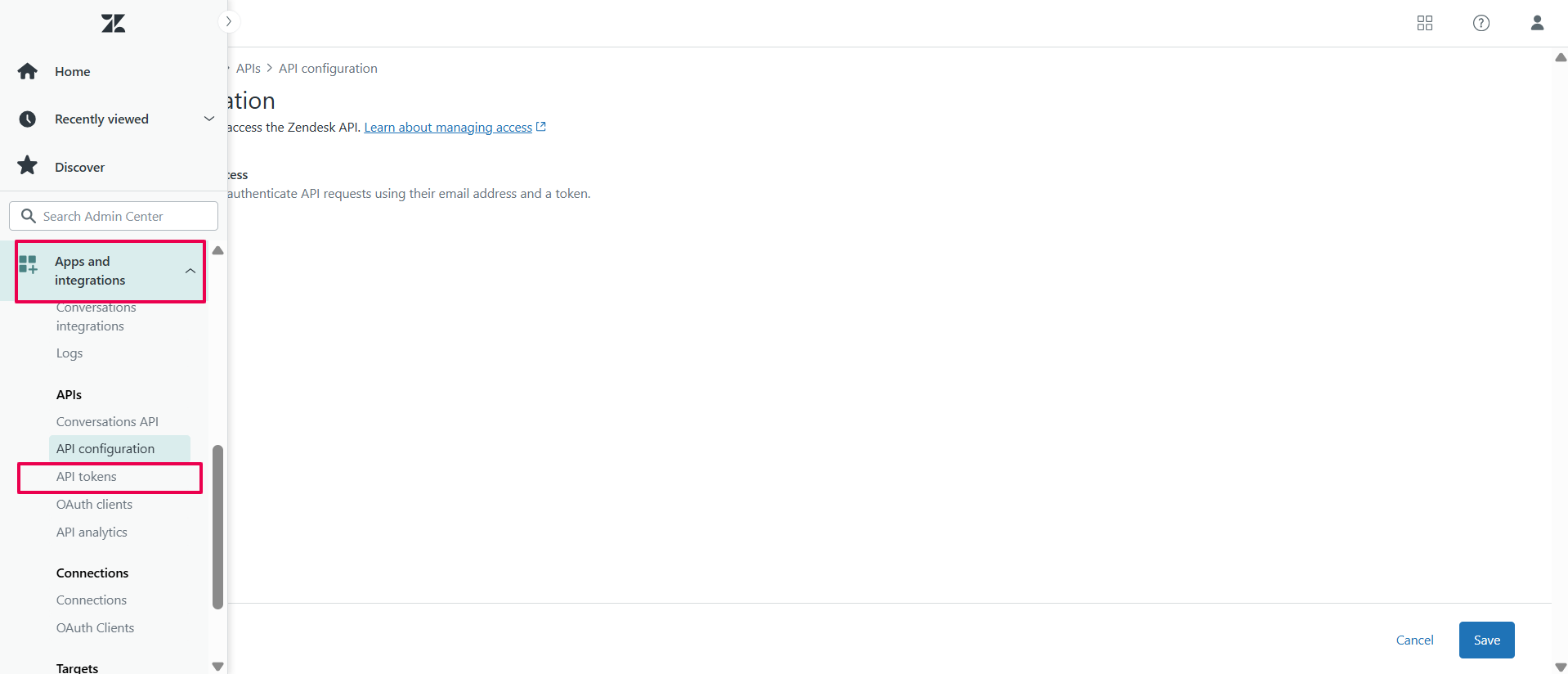
Select Apps and Integrations, then open API Token .
Enable Password Access and Token Access .
-
Click Add API Token, fill in desccription and click save
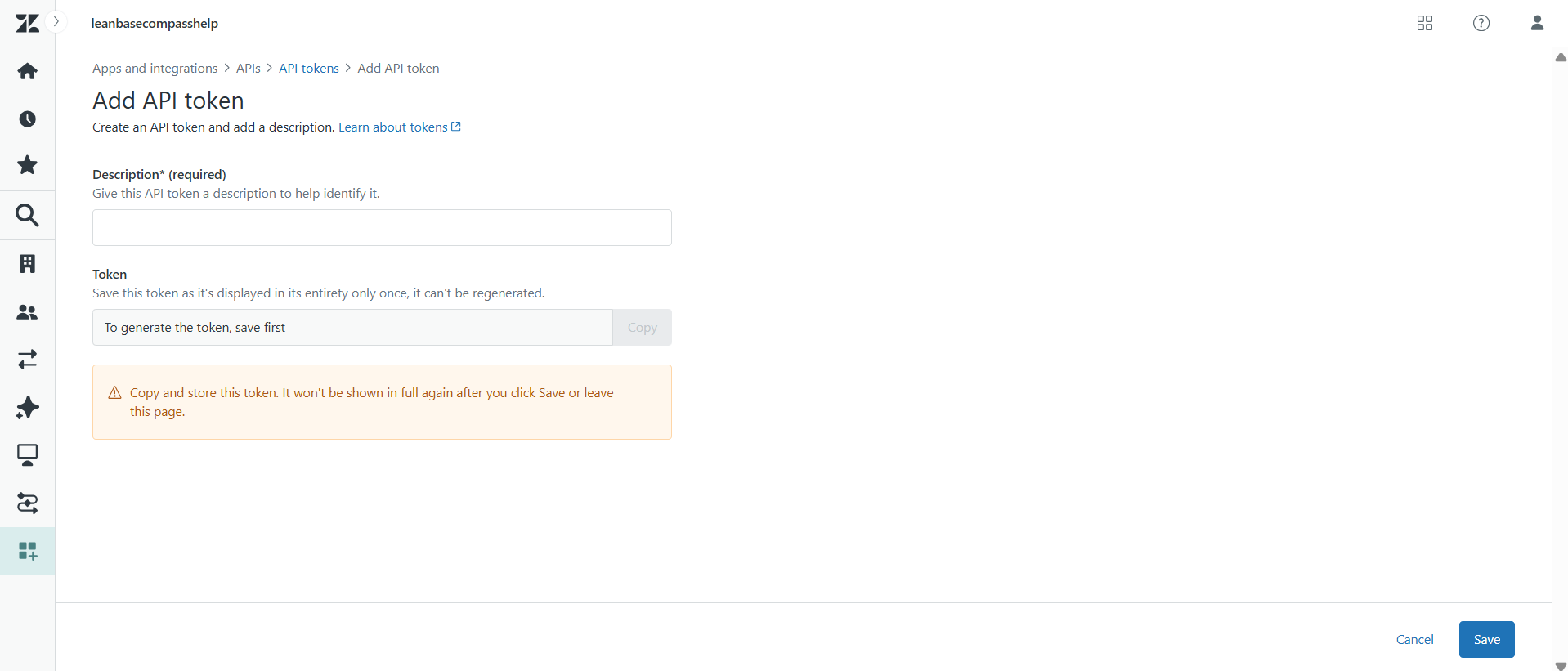
Copy the API token that is generated after click Save.
 Note
Note
Important: Copy the token immediately, as it's typically only shown once.
4. Email
This is simply the email address you use to log in to your Zendesk account
Note:
Pulls conversations in the last 6 months, up until your allotted conversations limit
Continuously gather new conversations, up until your allotted conversations limit
Uses 1 credit per conversations, up until your allotted credit limit