To sync feedbacks from Trustpilot to Leanbase Compass, you will need to enter your Trustpilot domain to connect your Trustpilot to Leanbase Compass. You can check how to collect your Trustpilot credential by these following steps:
-
Connect Trustpilot to Leanbase Compass
Open Leanbase Compass
Select Configuration > Channel
Click to Add new connection
Select Trustpilot and fill in credential needs
Below is guide how to check your Trustpilot needed credential
2. Trustpilot domain
You trustpilot domain is displayed after the trustpilot.com
For example: In this website format https://www.trustpilot.com/review/yourdomain.com
The domain you need to fill in is yourdomain.com
For specific example, this is a URL of Trustpilot: https://www.trustpilot.com/review/shein.com
So that, you trustpilot domain you need to fill in is: shein.com
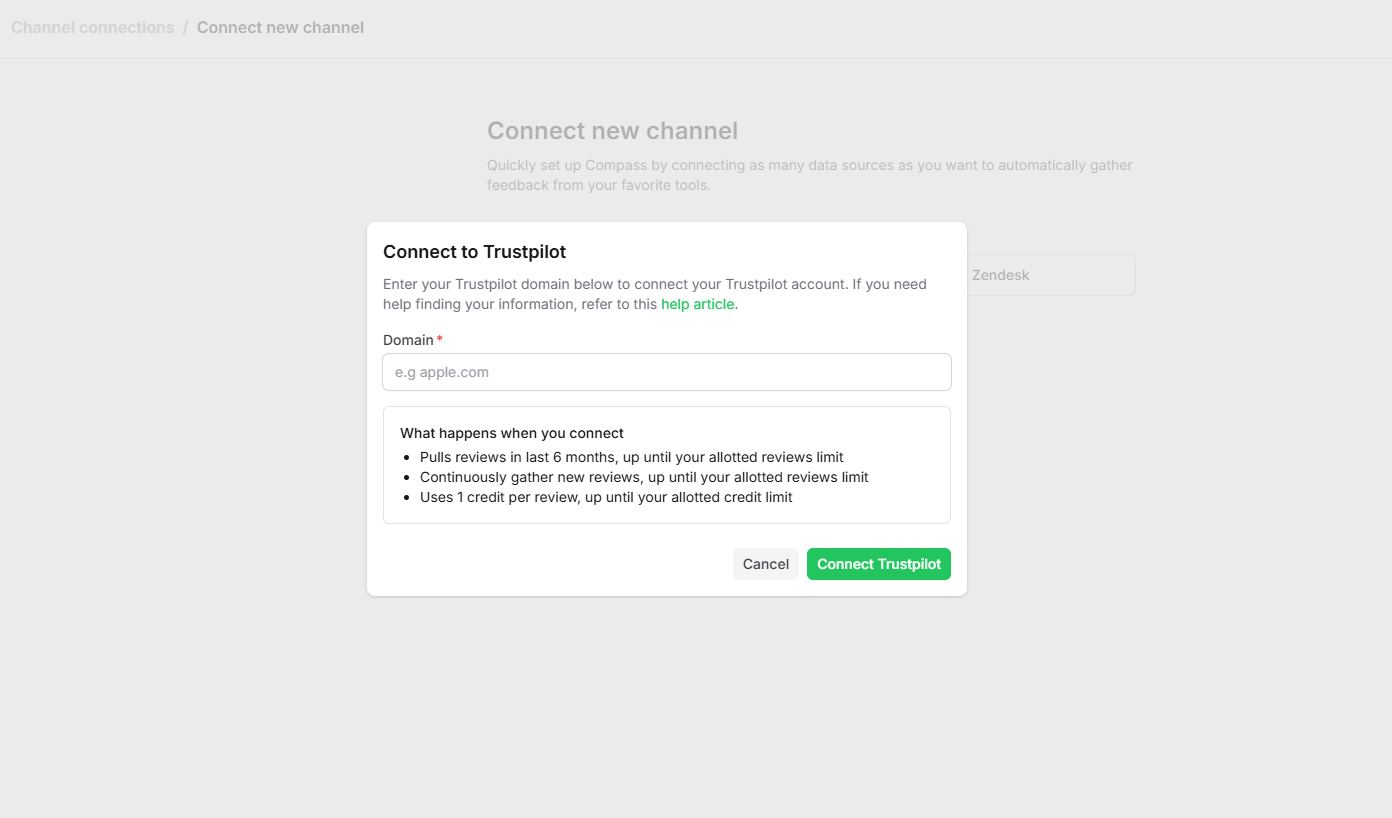
Note: After connected succesfully, Leanbase Compass will:
Pulls reviews in last 100 days, up until your allotted reviews limit
Continuously gather new reviews, up until your allotted reviews limit
Uses 1 credit per review, up until your allotted credit limit