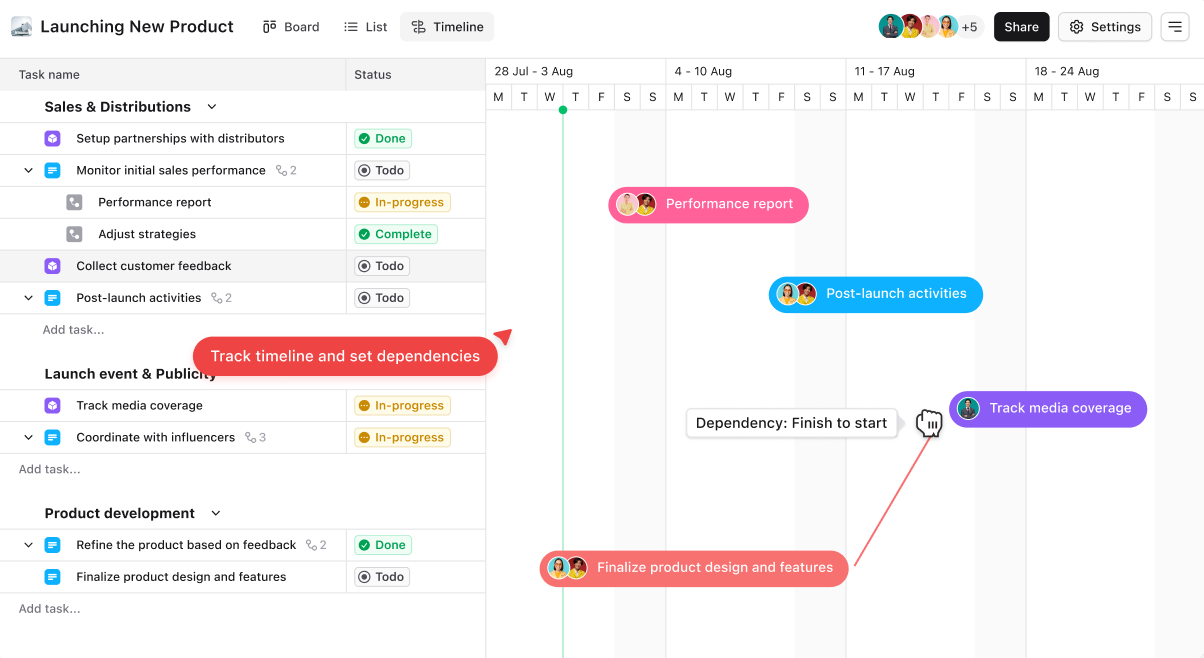
A board in Leanbase is a visual workspace for managing tasks with customizable views, fields, statuses, and workflows.
In Leanbase, a board is a workspace designed to organize and manage tasks or projects visually. It acts as a central hub where tasks are displayed in customizable views like Kanban, List, or Timeline, allowing teams to collaborate efficiently. Boards support custom fields, statuses, tasktypes,… enabling tailored workflows for different projects.
Boardview in Leanbase
Kanban view
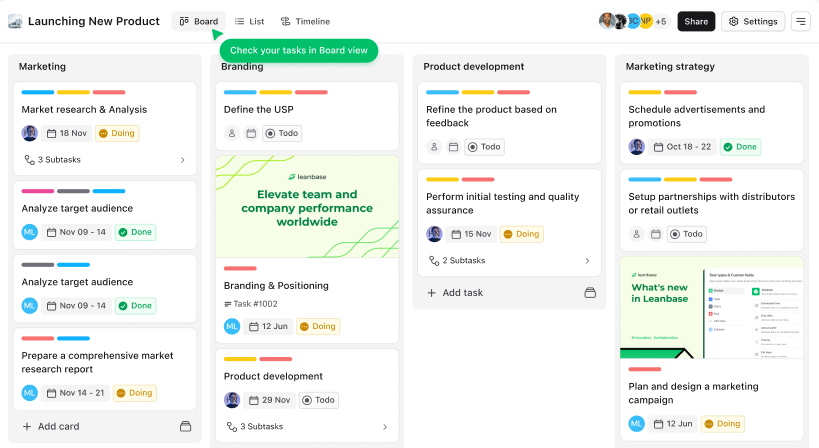
The Kanban View in Leanbase visually organizes tasks into sections and statuses, displayed as movable cards. It helps teams track progress, prioritize tasks, and streamline workflows effectively.
List view
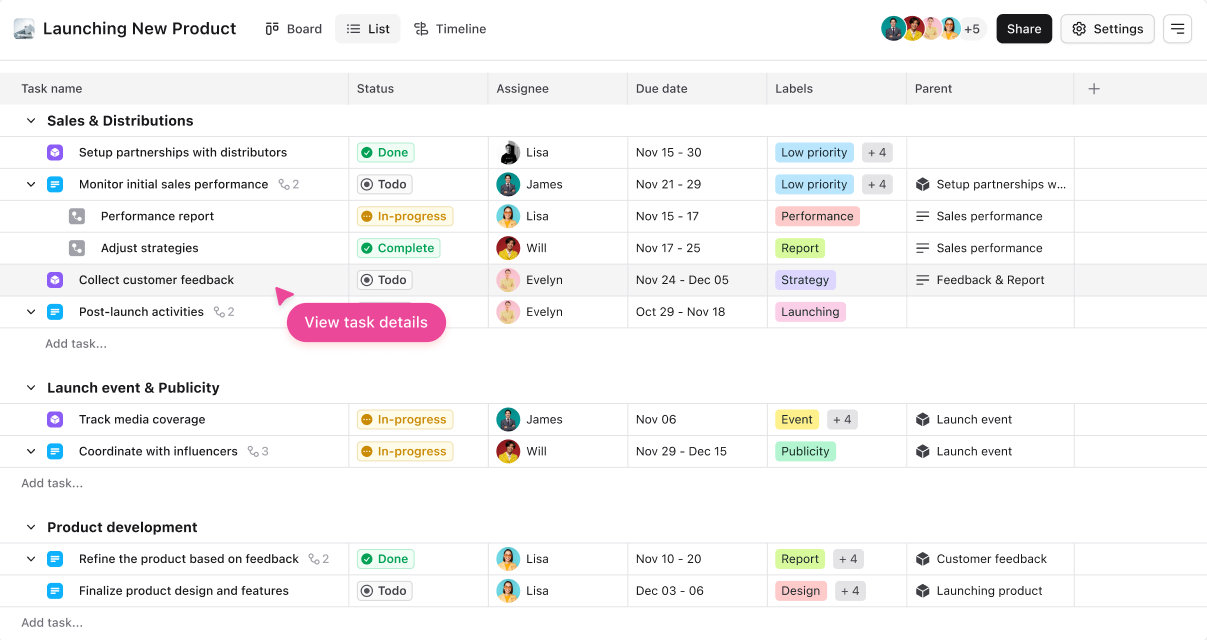
The List View in Leanbase displays tasks in a table format with details like status, assignee, and due dates. Users can group tasks by module or section for a customized, data-driven overview.
Timeline view
The Timeline View in Leanbase offers a visual representation of tasks along a timeline, helping teams plan and track schedules. It’s ideal for managing deadlines, dependencies, and project milestones, ensuring efficient time management and resource allocation.