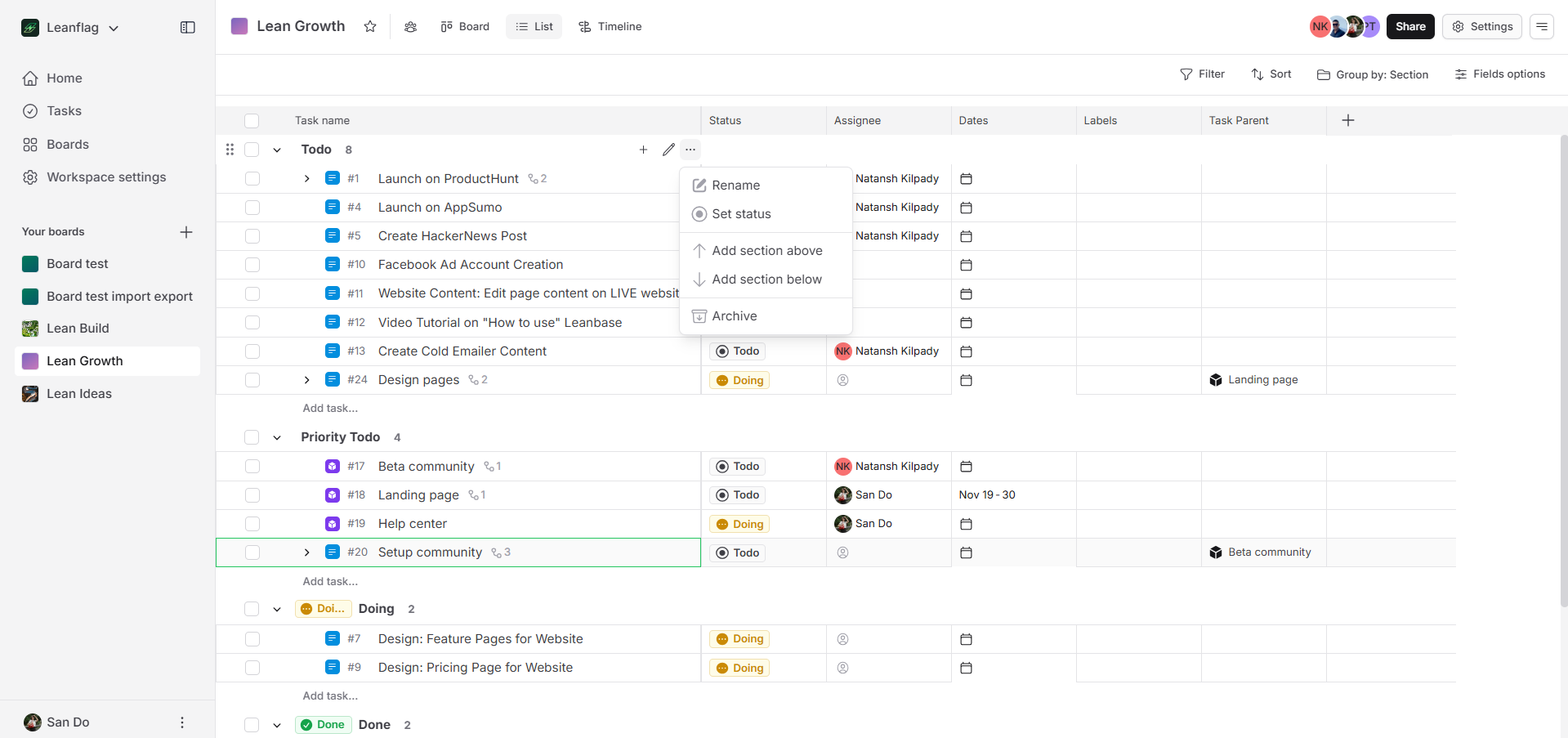
In Leanbase, status shows a task's current stage, like "In Progress," while section organizes tasks into broader groups, like "Backlog." Status tracks progress, whereas sections categorize work for better organization. Together, they streamline workflows effectively.
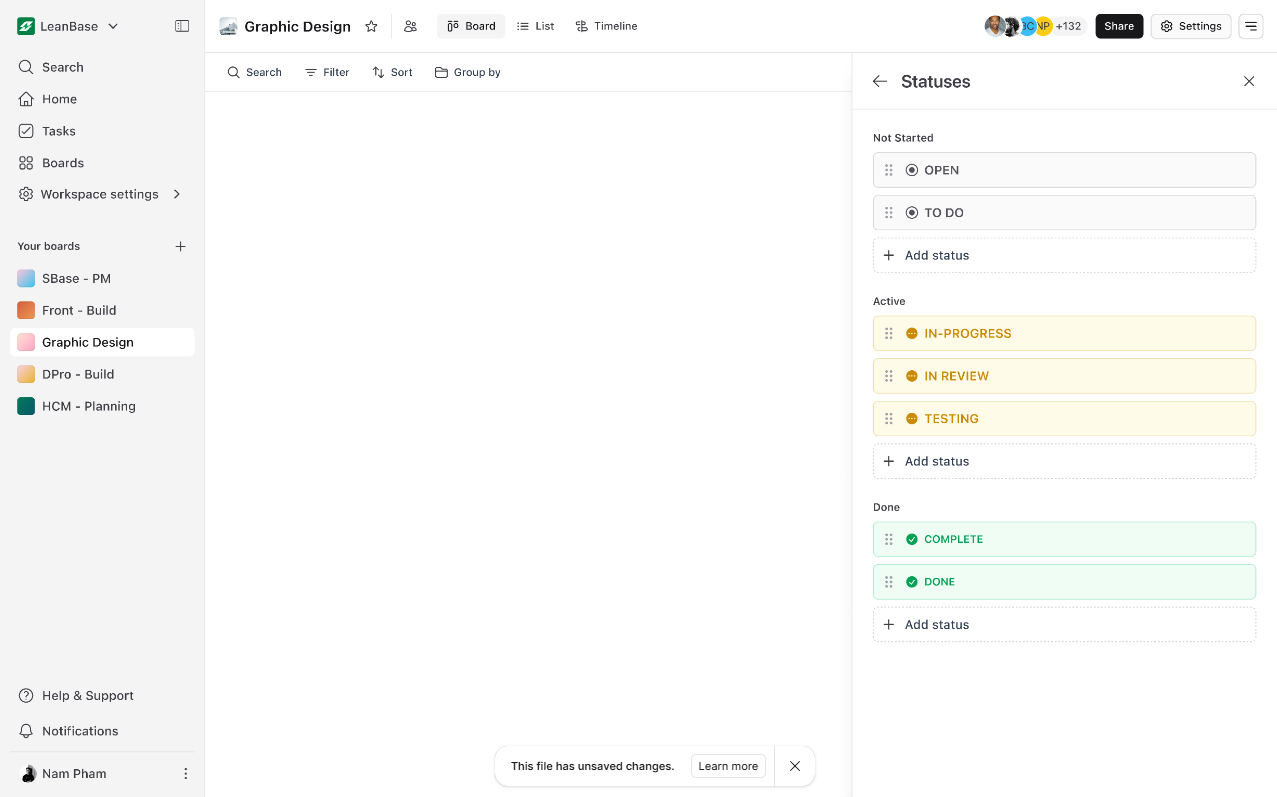
In Leanbase, a status represents a task's stage in its workflow, tracking progress. There are three default status categories:
Not Started: Includes statuses like Todo for tasks not yet started.
In Progress: Includes statuses like Doing for tasks in progress.
Completed: Includes statuses like Done for completed tasks.
Users can add new statuses to these categories, tailoring workflows to their needs while ensuring task clarity.
Create status
Select a Status Category: Choose the status level to add the new status to (e.g., Not Started, Active, or Done).
Click "Add Status": Once you've chosen the category, click the button to add a new status.
Fill in Status Name: Provide a name for the new status (e.g., "Review" or "Testing") to reflect a specific stage within the chosen category.
Section
In Leanbase, a section organizes tasks into categories or phases, like "Backlog" or "Sprint Planning." It provides a clear structure for managing and prioritizing work within board.
Create section
Users can add a section on the Kanban board by clicking the Add Section button or by hovering over section's settings to choose Add Section Above or Add Section Below.