This guide explains how to create a task in Leanbase directly from Slack using two methods. Before proceeding, ensure you have the Leanbase app installed and connected to a board in Slack.
How to enable Slack unfurl link
- Connect Slack to any Leanbase board by following these steps:
1. Open Leanbase and navigate to the desired board.
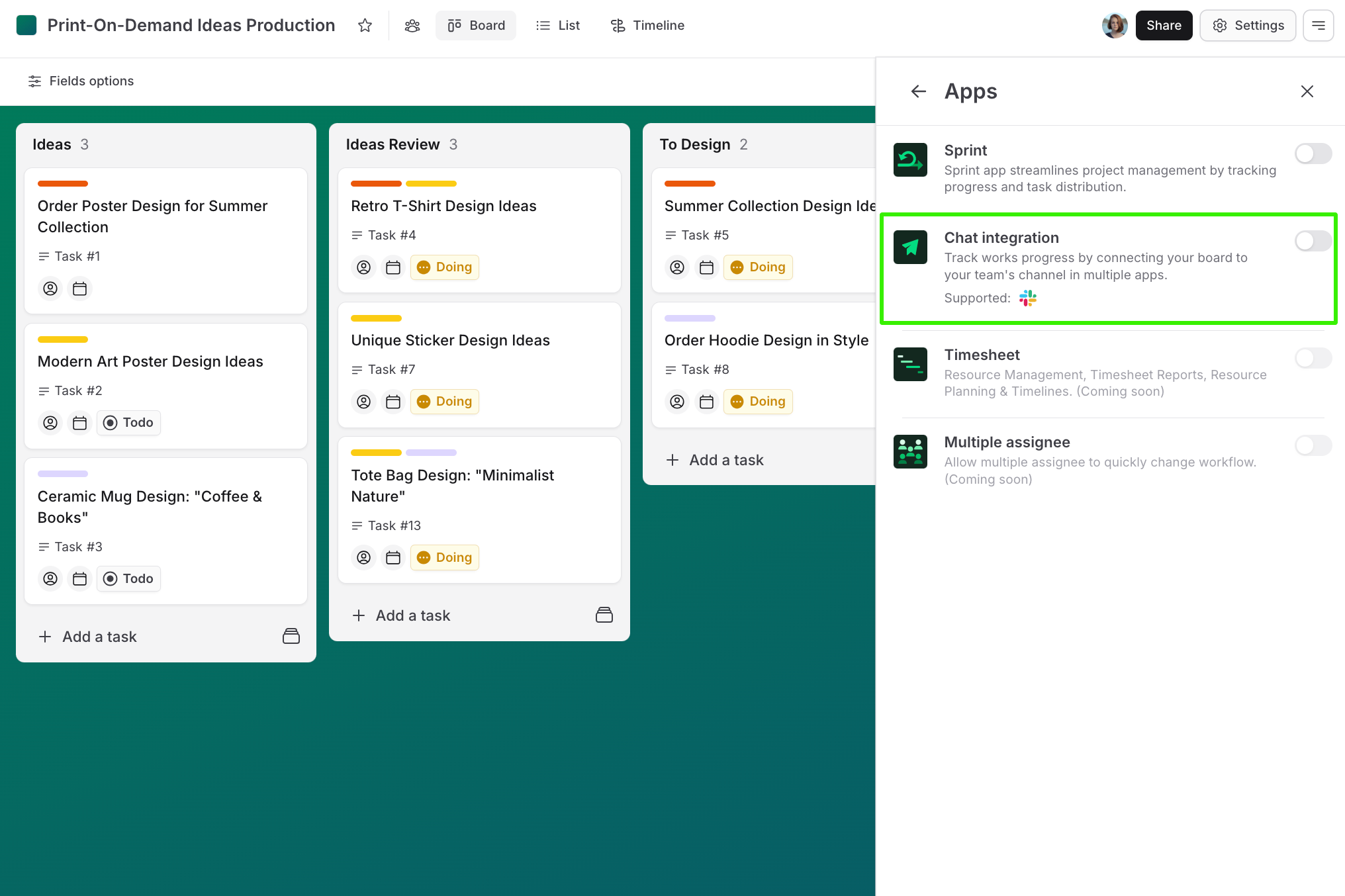
2. Enable the Slack app integration in board
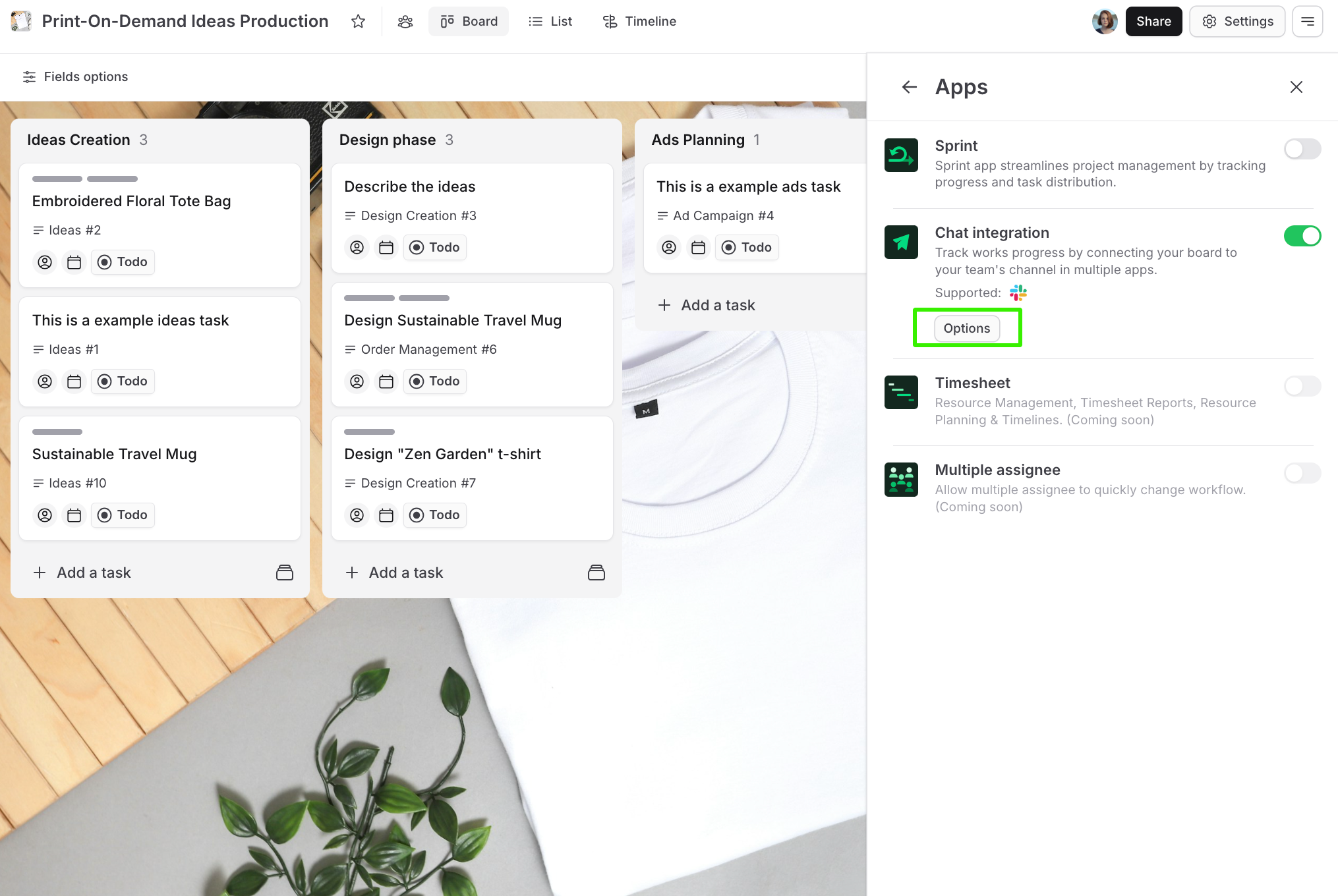
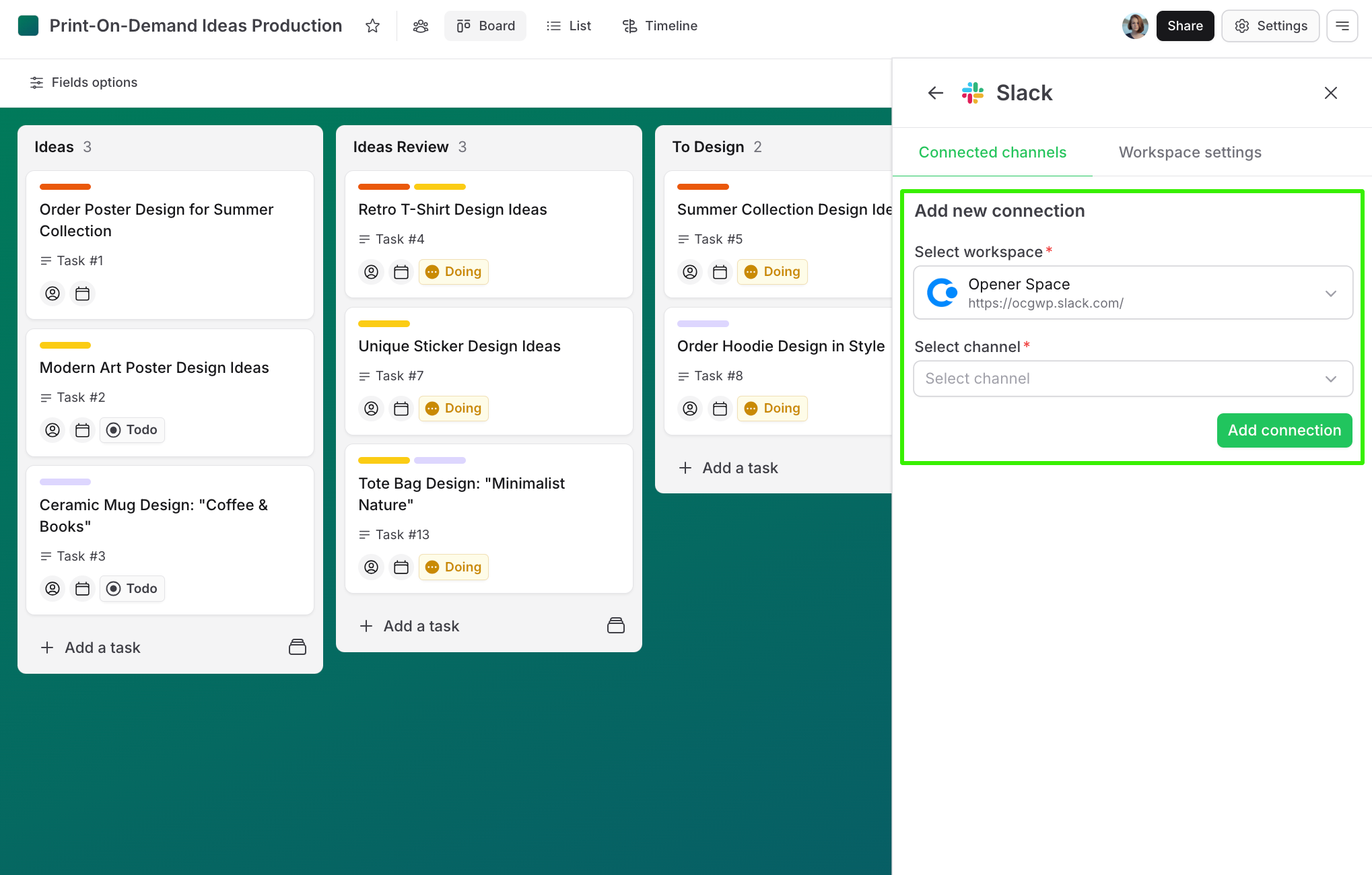
3. From Slack, click Option button to open Slack setting and connect a Slack channel with Leanbase board.
Note:
You will need to have at least 1 Slack channel connected to Leanbase board in order to do Leanbase actions in Slack
Method 1: Using Command
1. Open Slack: Launch your Slack workspace.
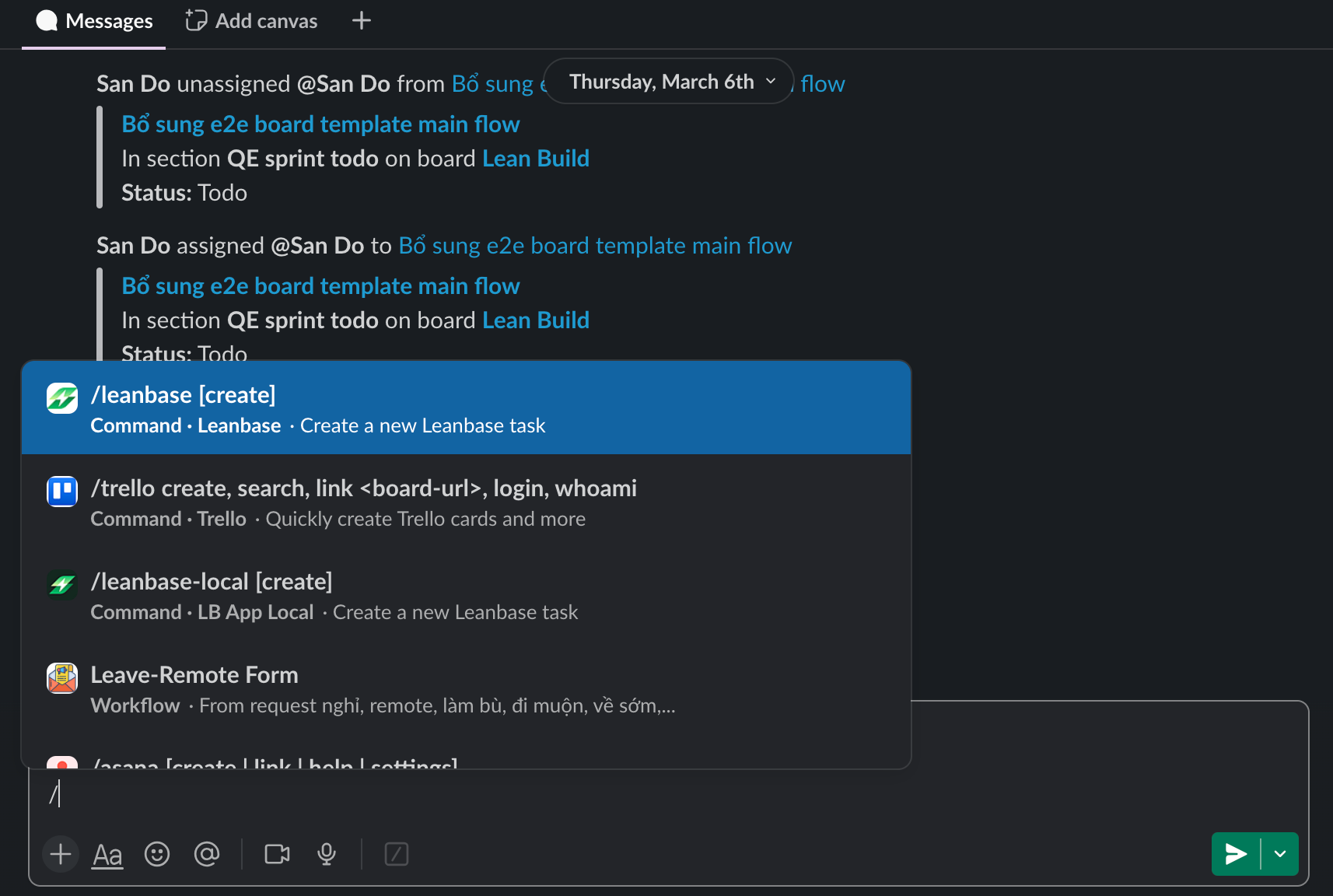
2. Enter Command:
Type /leanbase create in any channel or in direct message.
3. Select Workspace: Choose the Leanbase workspace where you want to store the task.
4. Fill Information:
- Select a board.
- Select a task type.
- (Optional) Add task name, description, assignee, due date, and other details.
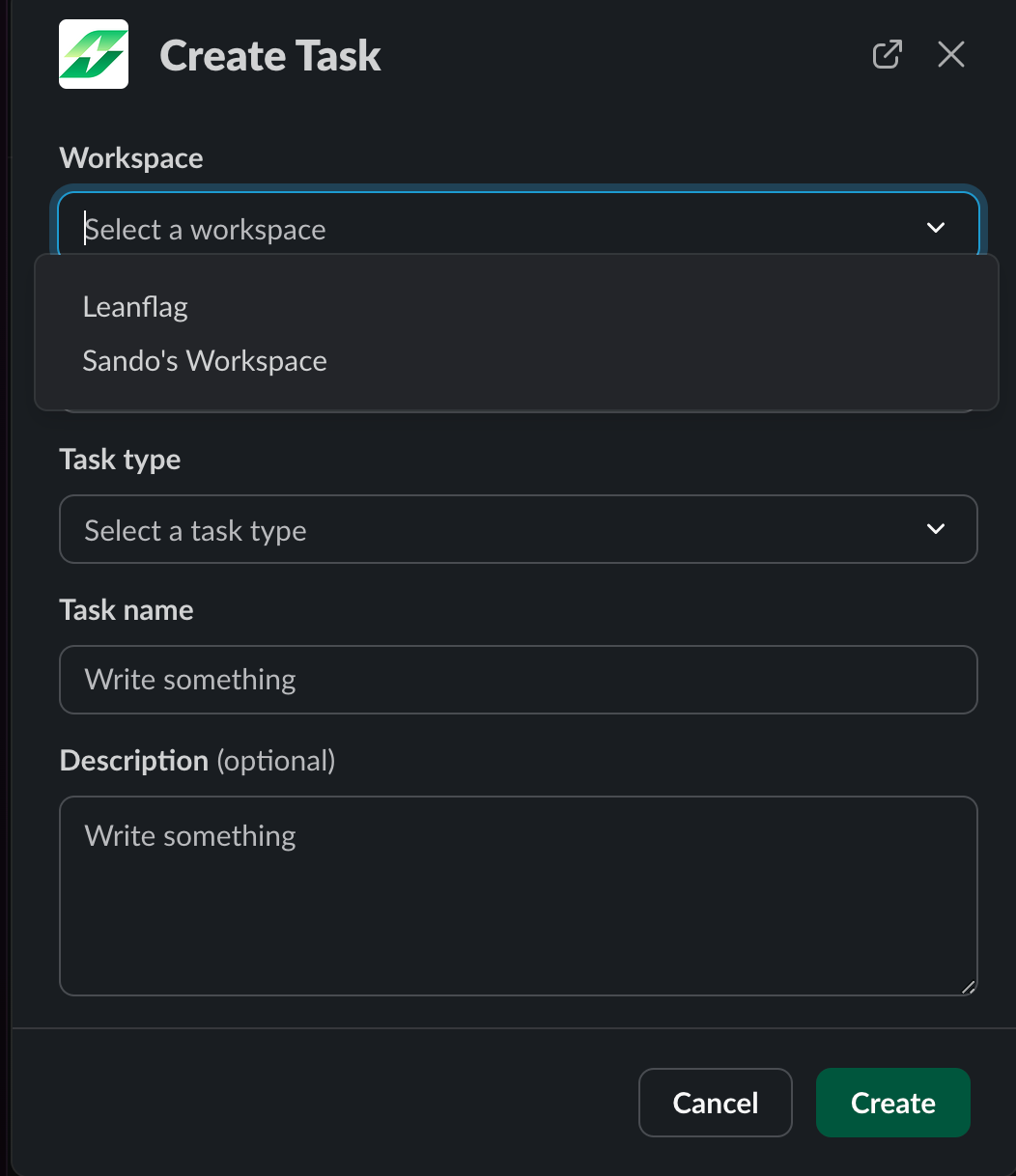
5. Submit: Review and submit to create the task. When finish creating, a notification message will be sent.
Method 2: Using Message Shortcut
1. Open Slack: Launch your Slack workspace.
2. Go to Thread: Navigate to the thread containing the message you want to turn into a task.
3. Access Shortcut:
- Click the three-dot menu (More) on the message.
- Select More message shortcut
- Choose Leanbase create
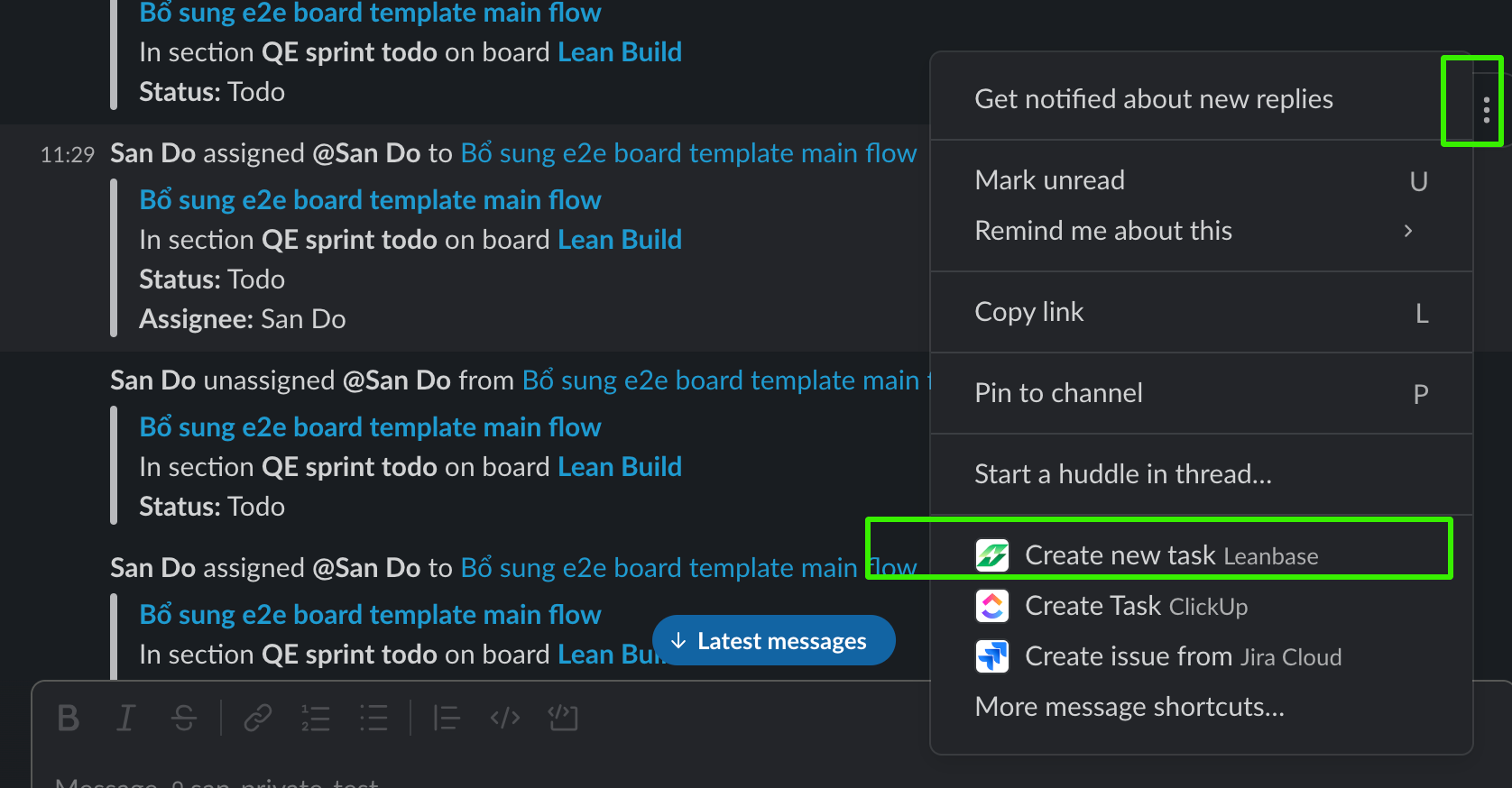
4. Select Workspace: Choose the Leanbase workspace to store the task.
5. Fill Information:
- Select a board.
- Select a task type.
- (Optional) Add task name, description, assignee, due date, and other details.
6. Submit: Review and submit to create the task. The thread will be unfurled with the task details. When finish creating, a notification message will be sent.
Additional Notes
- Make sure you have permisison to create task to use this feature.
- Ensure your Slack and Leanbase accounts are connected to avoid errors.
- Ensure that you have connected Slack to the necessary Leanbase workspace to display the list of Leanbase workspaces when selecting a Workspace.
- For more details, refer to the Leanbase support documentation.