Sprints in Leanbase help teams plan, track, and complete tasks efficiently within a set timeframe. With features like flexible task views and detailed reports, Leanbase streamlines sprint management and performance tracking.
Leanbase offers essential tools for effective sprint management:
-
Flexible task views:
View tasks in a single sprint to focus on current work.
See tasks across all sprints for broader planning.
-
Sprint reports:
Track metrics like completed tasks and velocity.
Export report as PDF for retrospectives
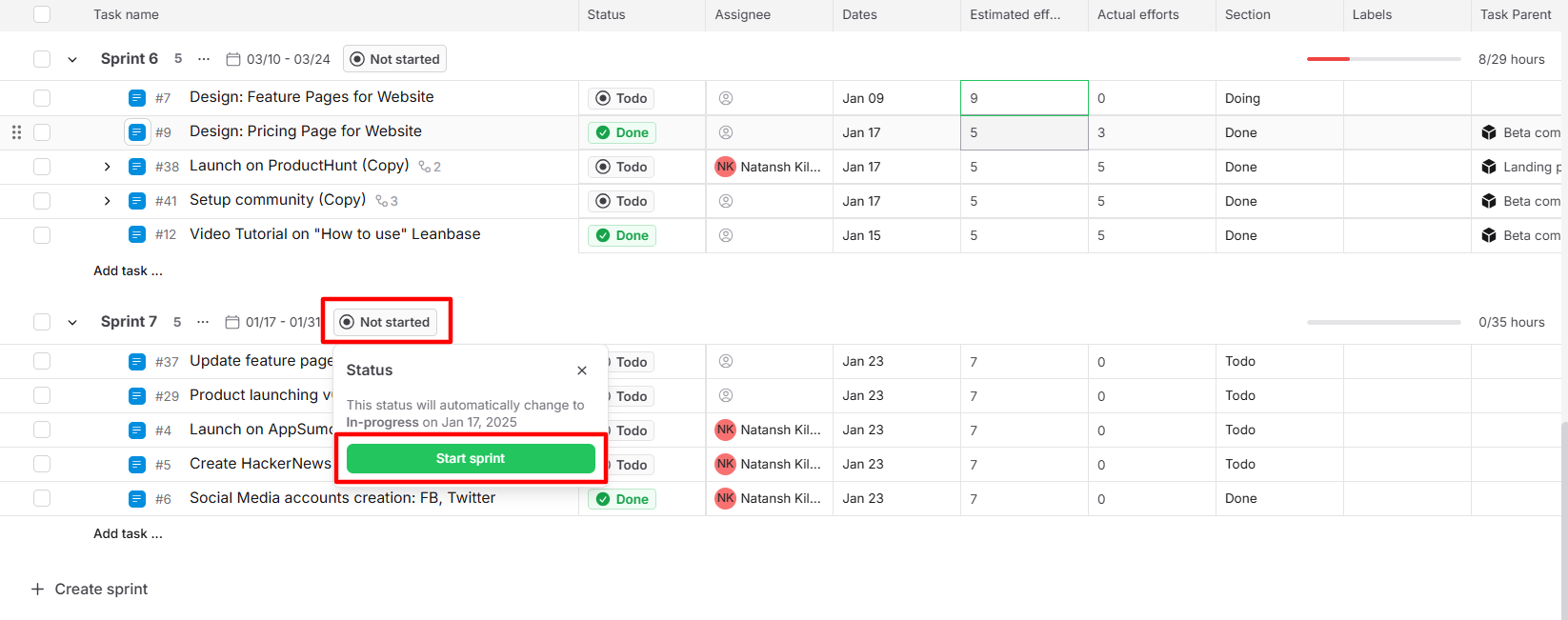
Start sprint
Open the Sprints backlog.
Click on the status of the sprint next to the duration
Click the Start sprint button.
You can manually start a sprint or Leanbase will start your sprint automatically on the first day of the sprint
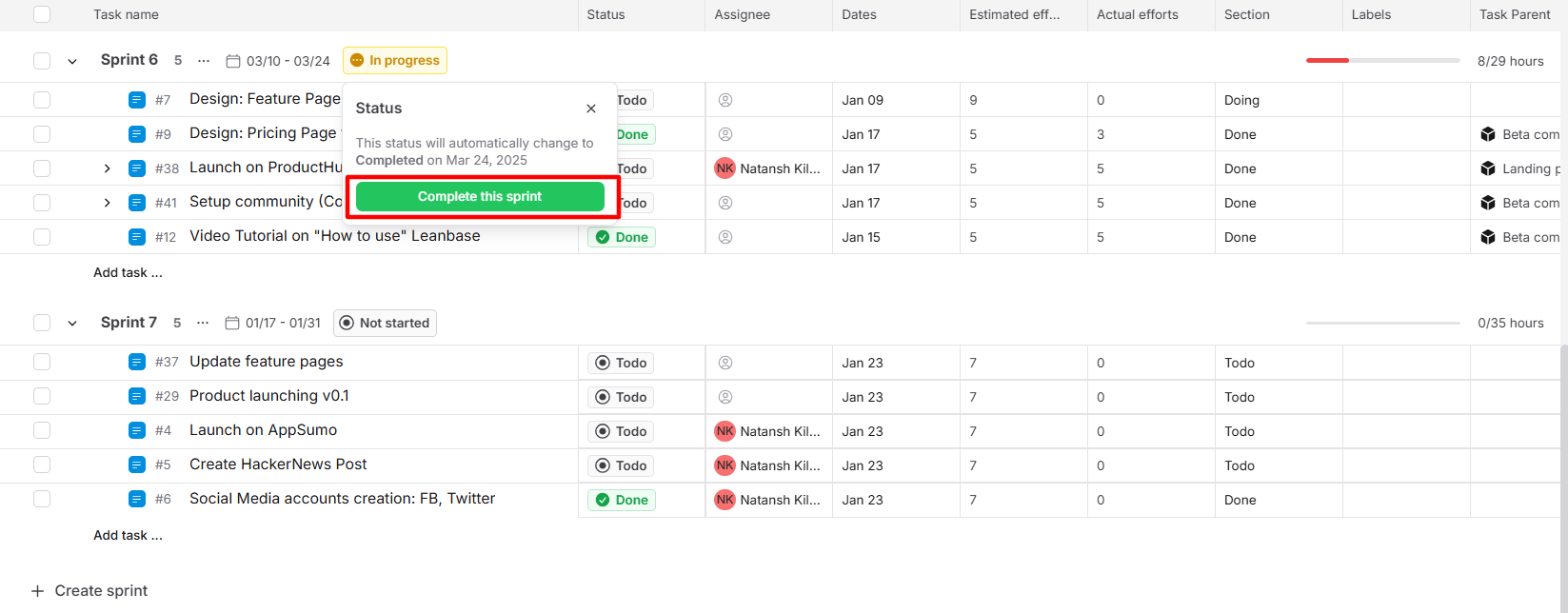
Complete sprint
Open the Sprints backlog.
Click on the status of the sprint next to the duration
Click the Complete sprint button.
You can manually complete a sprint or Leanbase will complete your sprint automatically on the last day of the sprint
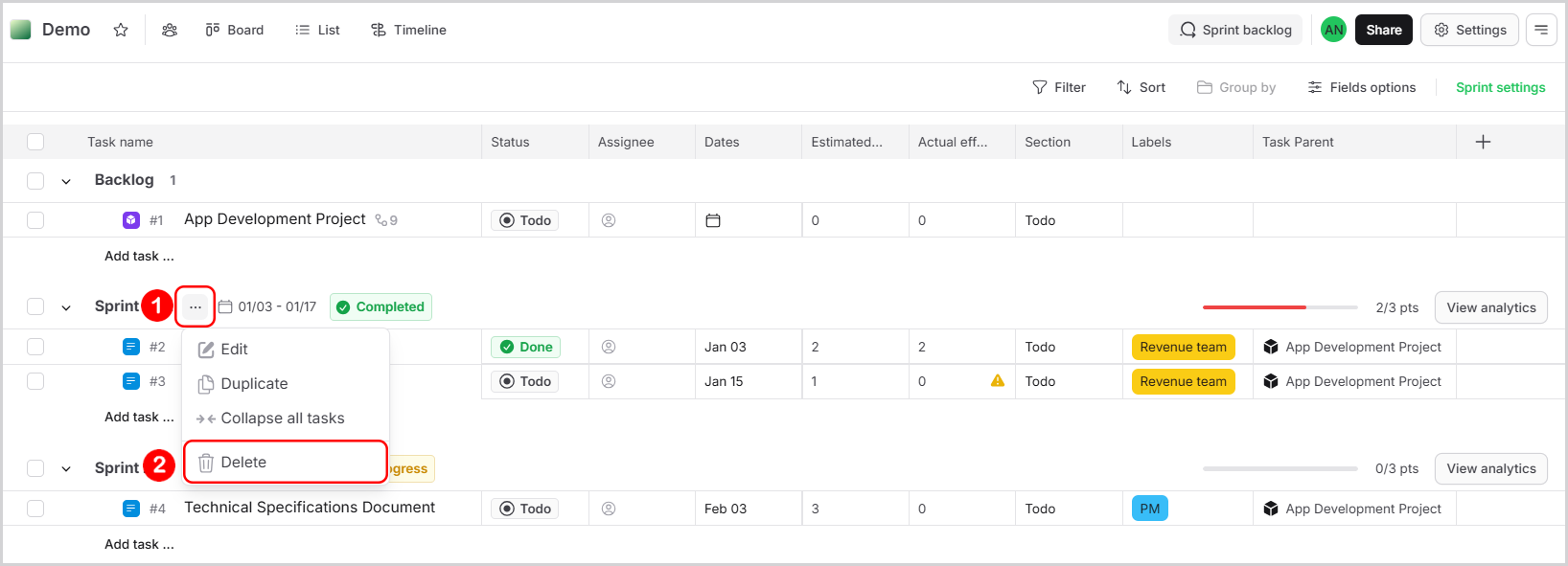
Delete sprint
Open the Sprints backlog.
Click on the three-dot menu next to the sprint you want to delete.
Click the Delete button.
Confirm your action in the popup warning.