A step-by-step guide on how to export data from Leanbase, ensuring a smooth and efficient data transfer process.
Export
How to export data in Leanbase
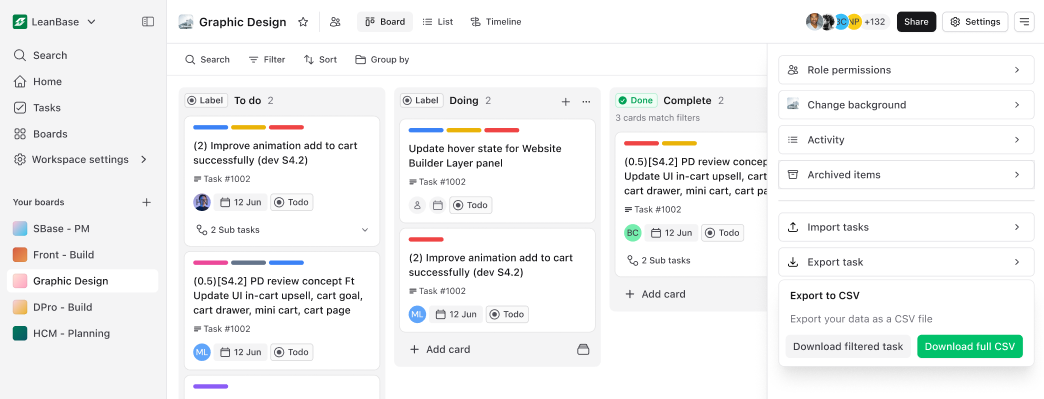
Leanbase currently supports exporting tasks exclusively in CSV format. You have the flexibility to download either the complete set of tasks or select only the specific tasks you need.
Go to the Board: Open the board you want to export.
Access Board Settings: Click on the hamburger icon to navigate to board settings.
Select Export Task: Choose the "Export Task" option from the menu.
Download CSV File: Download the file instantly or check your email for the CSV if the file is large.
Updated over 1 year ago