This help document addresses frequently asked questions about using Leanbase Compass to streamline customer support and engagement.
1. Does Leanbase Compass offer a free trial?
Yes! Leanbase offer free plan for unlimited days.
2. Can I connect multiple accounts to a single channel in Leanbase Compass?
Yes, you can connect multiple accounts to one channel. For example, link multiple Freshdesk accounts to the same channel. Leanbase Compass supports connecting as many accounts as needed per available channel, streamlining multi-account management.
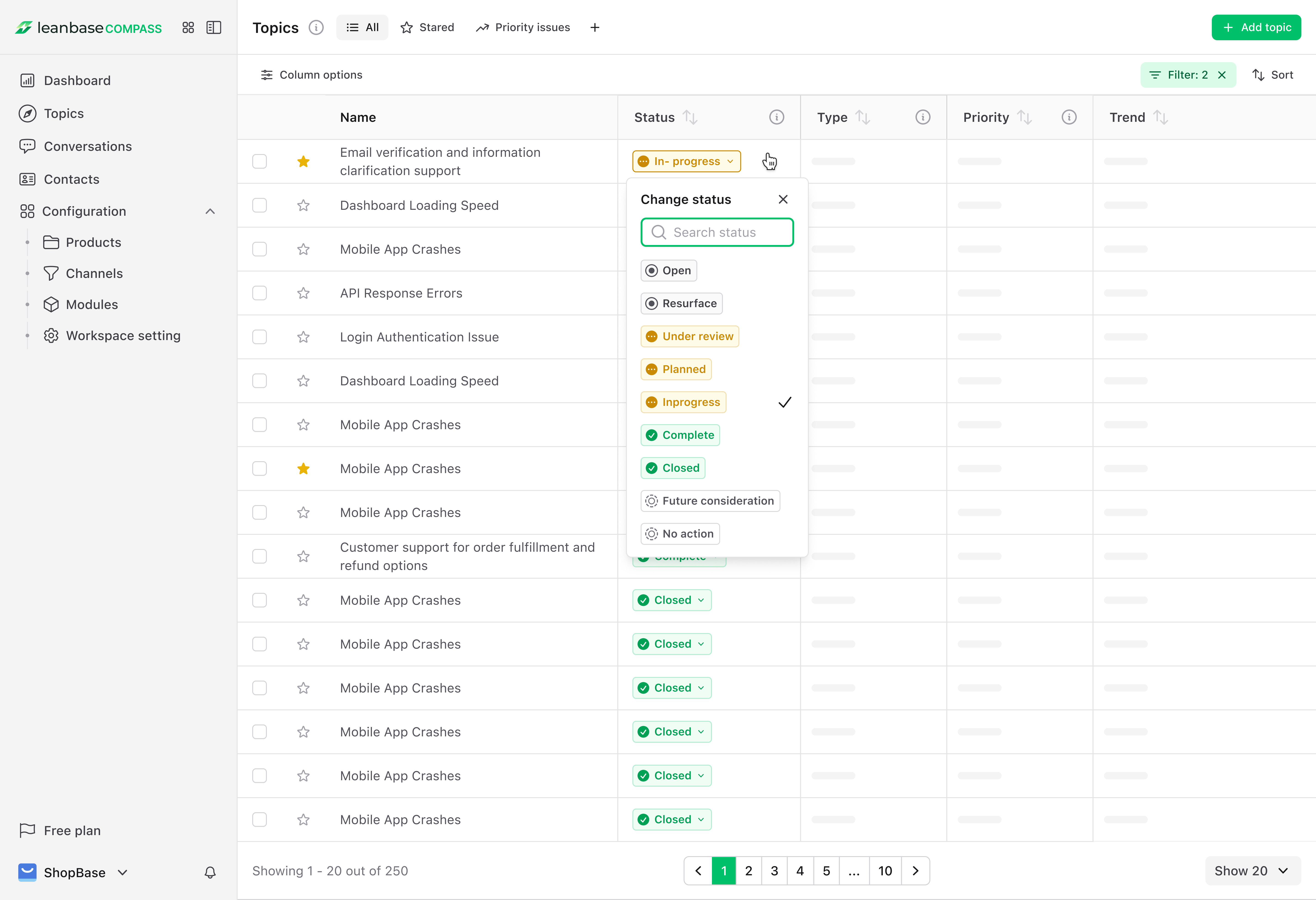
3. Can I create a new status of topics or conversation?
No! Leanbase Compass uses predefined statuses for topics and conversations to prevent confusion. For topics, you must select from the provided status options. For conversations, Leanbase Compass automatically maps your conversation status to its status structure or creates a new status if no match is found.
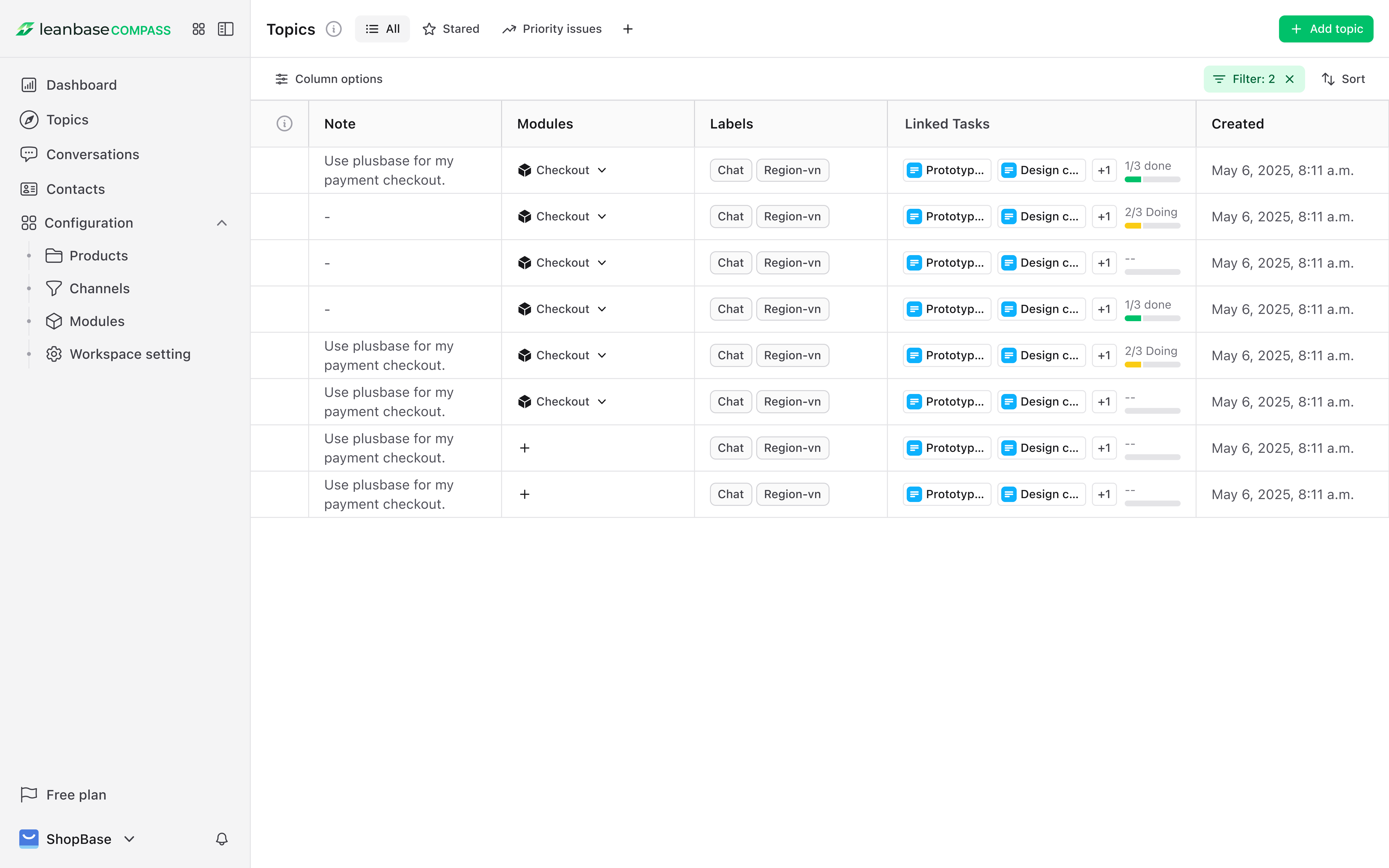
4. How do I organize topics into modules?
In the “Modules” tab, create custom modules (e.g., “Customer Feedback” for “Product Issues” and “Feature Requests”). AI suggests predefined groupings for similar topics, which you can edit or revise. Filter topics by module for focus, and update or delete modules as priorities change to stay organized.
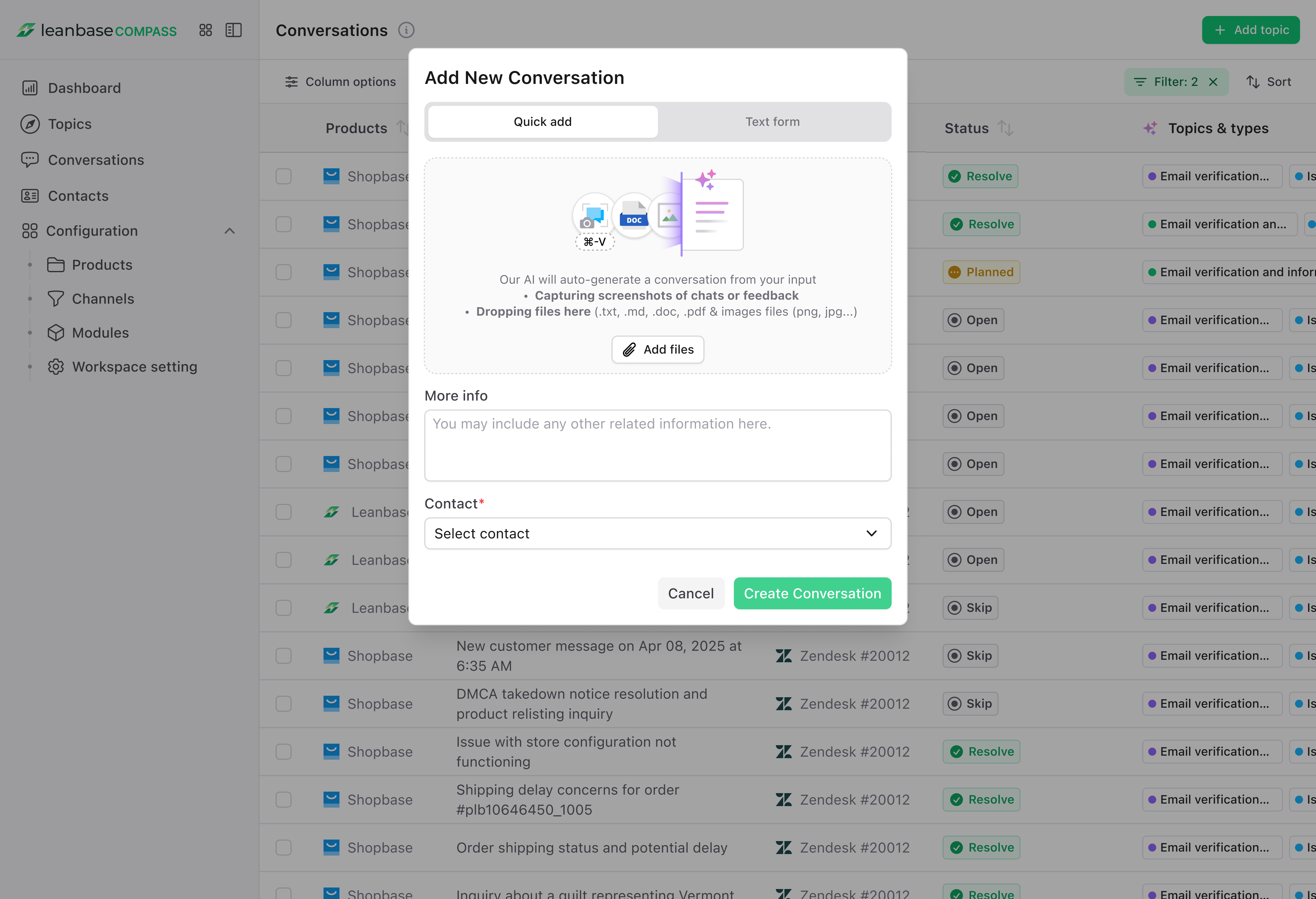
5. Can I add custom conversations to Leanbase Compass?
Yes! In the “Conversations” tab, click “Add Conversation” and choose Quick-add or text-only. For text-only, input details; for Quick-add, drag and drop files/images and select a contact. AI scans files/images, summarizes the conversation, consolidates all data from the custom conversation, and lets you review or edit it anytime.
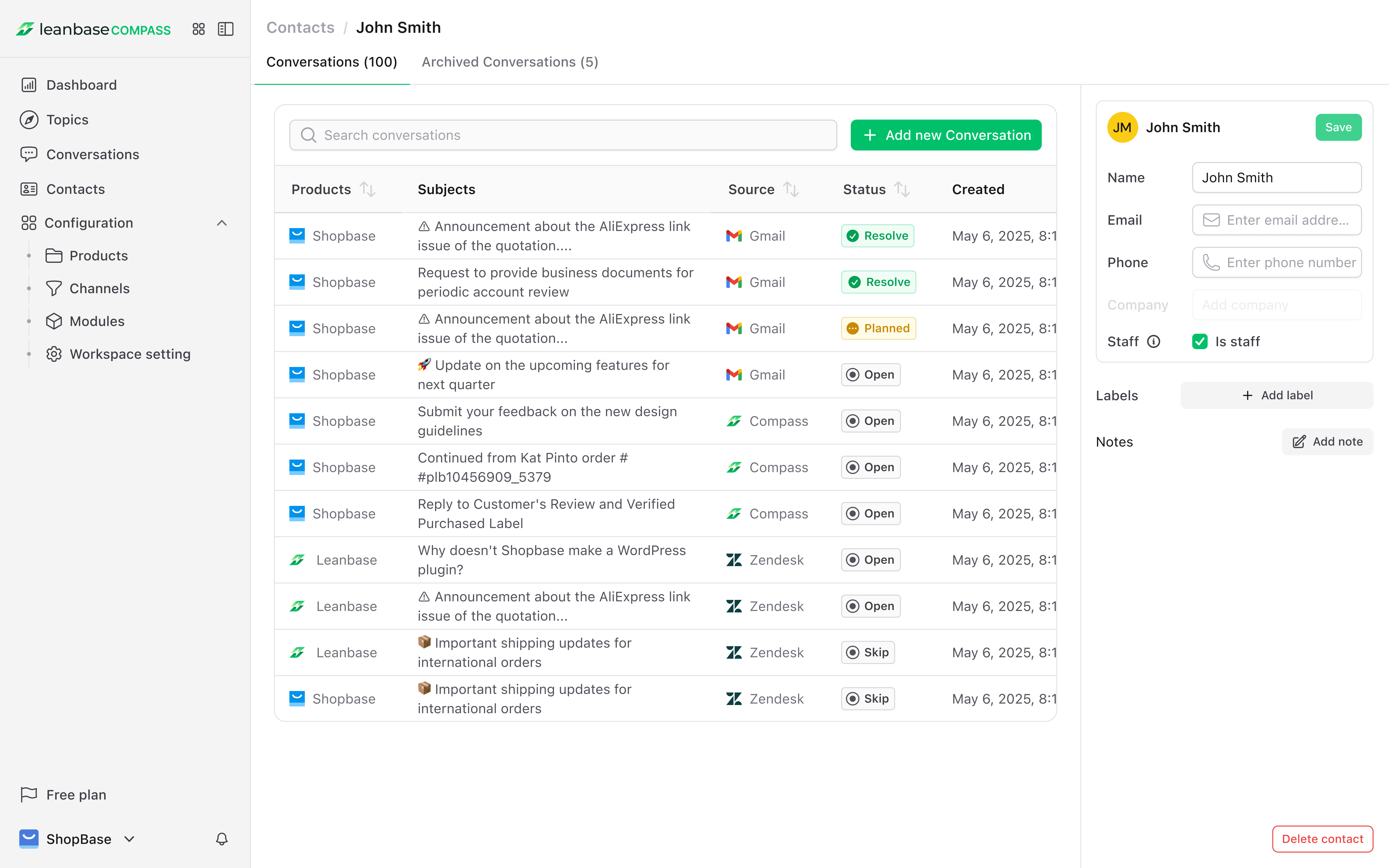
6. How do I convert contacts into agents?
You can navigate to the Contact tab, select the contact you want to convert to agent. Click to contact name and open contact details. You check the button is agent and now your agent team is welcoming new members.
7. What happens to conversations if I deactivate connections or delete connections?
Conversations tied to deactivated or deleted connections are automatically archived. When you reactivate or reconnect the connection to Leanbase Compass, these conversations are unarchived and updated with the latest data.
8. How does Leanbase Compass handle sensitive user data with permissions?
Permissions in Leanbase Compass restrict access to sensitive user data, allowing only authorized roles to view or edit it. In “Workspace Settings,” define roles with specific permissions and assign them to team members, enhancing security and preventing data leaks to unauthorized users.
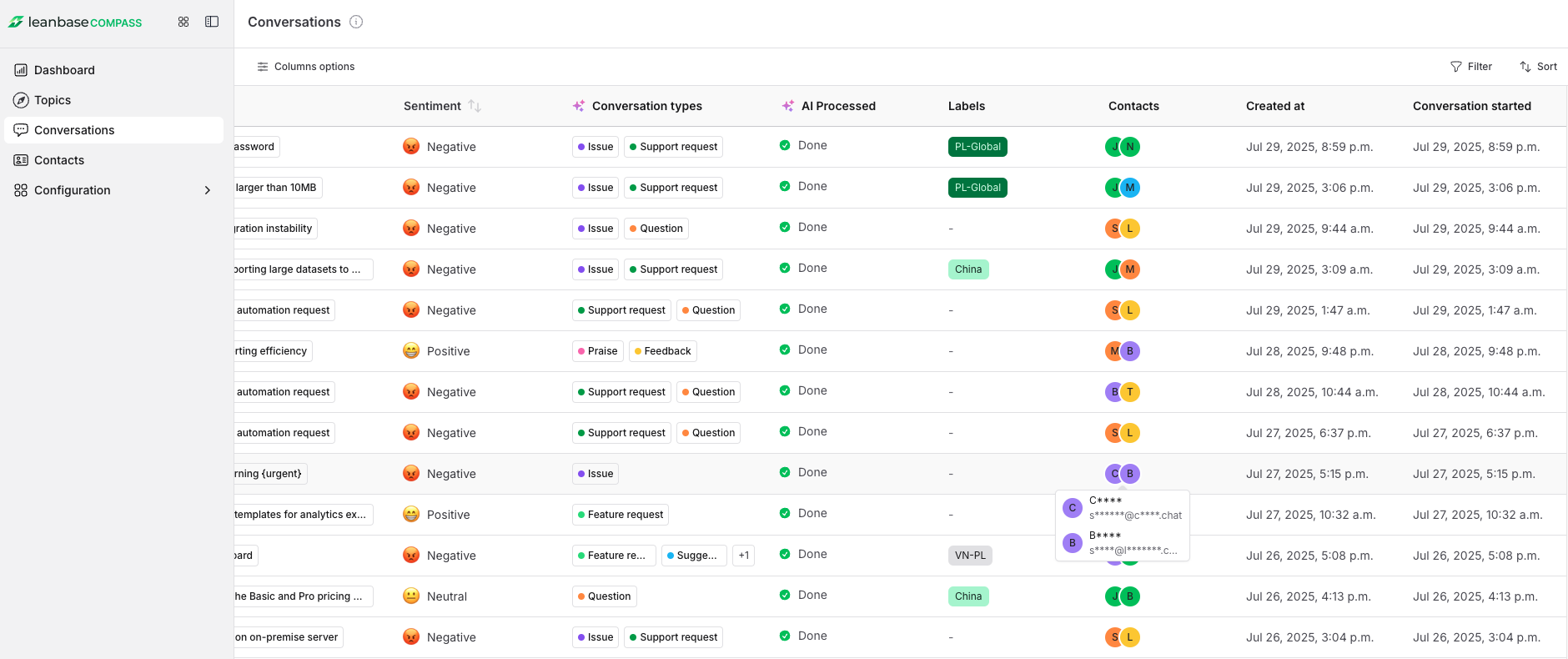
9. What data in Leanbase Compass is shared with OpenAI?
Leanbase Compass sends data for AI functionality on a per-feature basis, such as generating topic summaries and automatically drafting solution specs. We do not use your data to train the AI model.
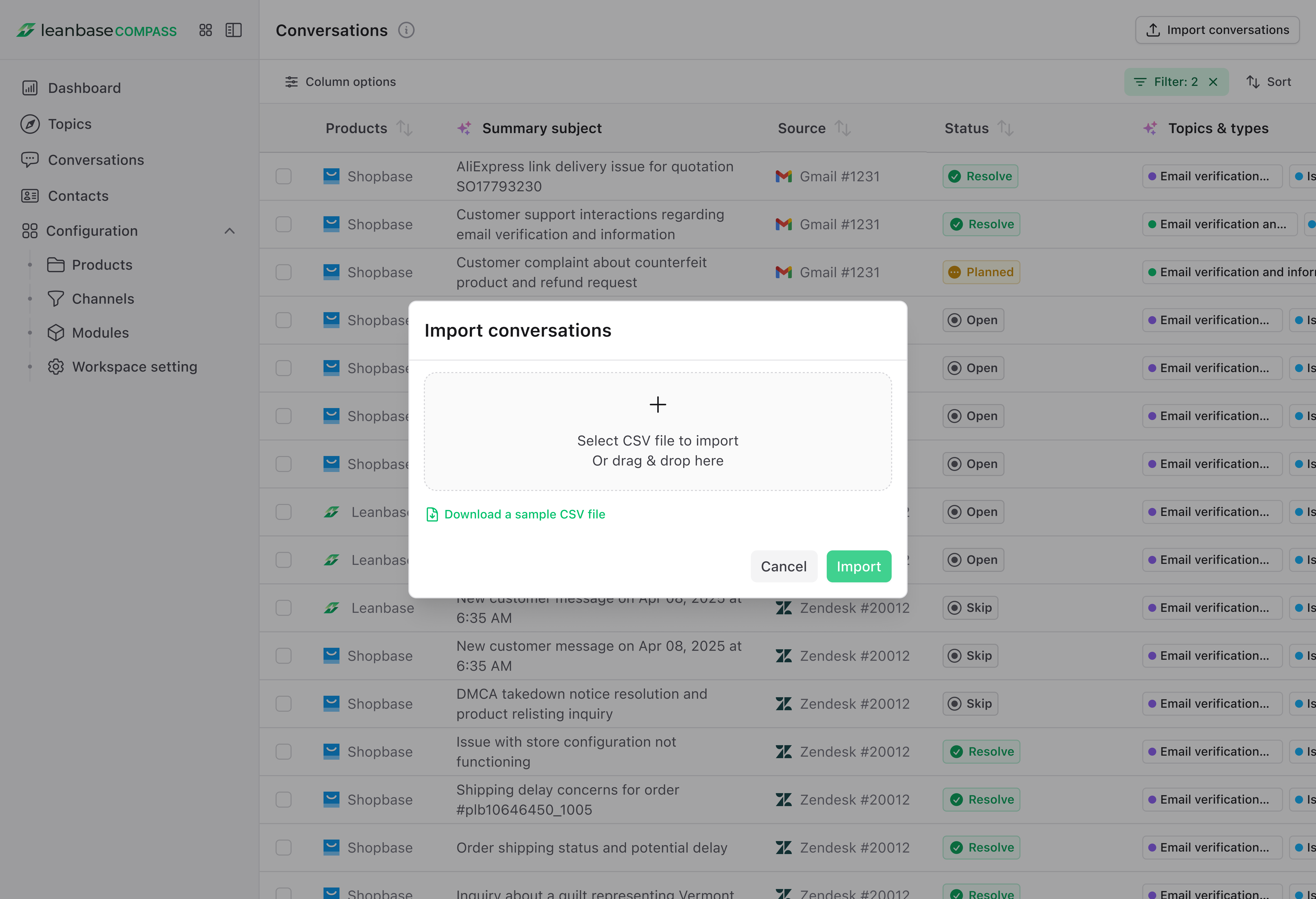
10. How can I import conversations to Leanbase Compass?
First, prepare the CSV file according to our format, which you can download here. Make sure all required fields in the CSV file are filled. From the conversation tab, select the import option to upload the CSV file. You can only upload one file at a time.
11. How can I view archived topics and conversations
Go to the topic or conversation tab, open the filter, scroll to the bottom. In the archive section, select "Show archived topics/conversations.
12. Why I must add my company product?
To simplify managing feedback for multiple products and help our AI gain deep product insights, organize feedback for product-specific filtering and provide detailed input. Use our platform’s tools to streamline the process.
Ready to explore more?
Login to Leanbase Compass right now to experience these features. Need support? Our team is always ready at [email protected] or via Leanbase assistance center at leanbase.com.