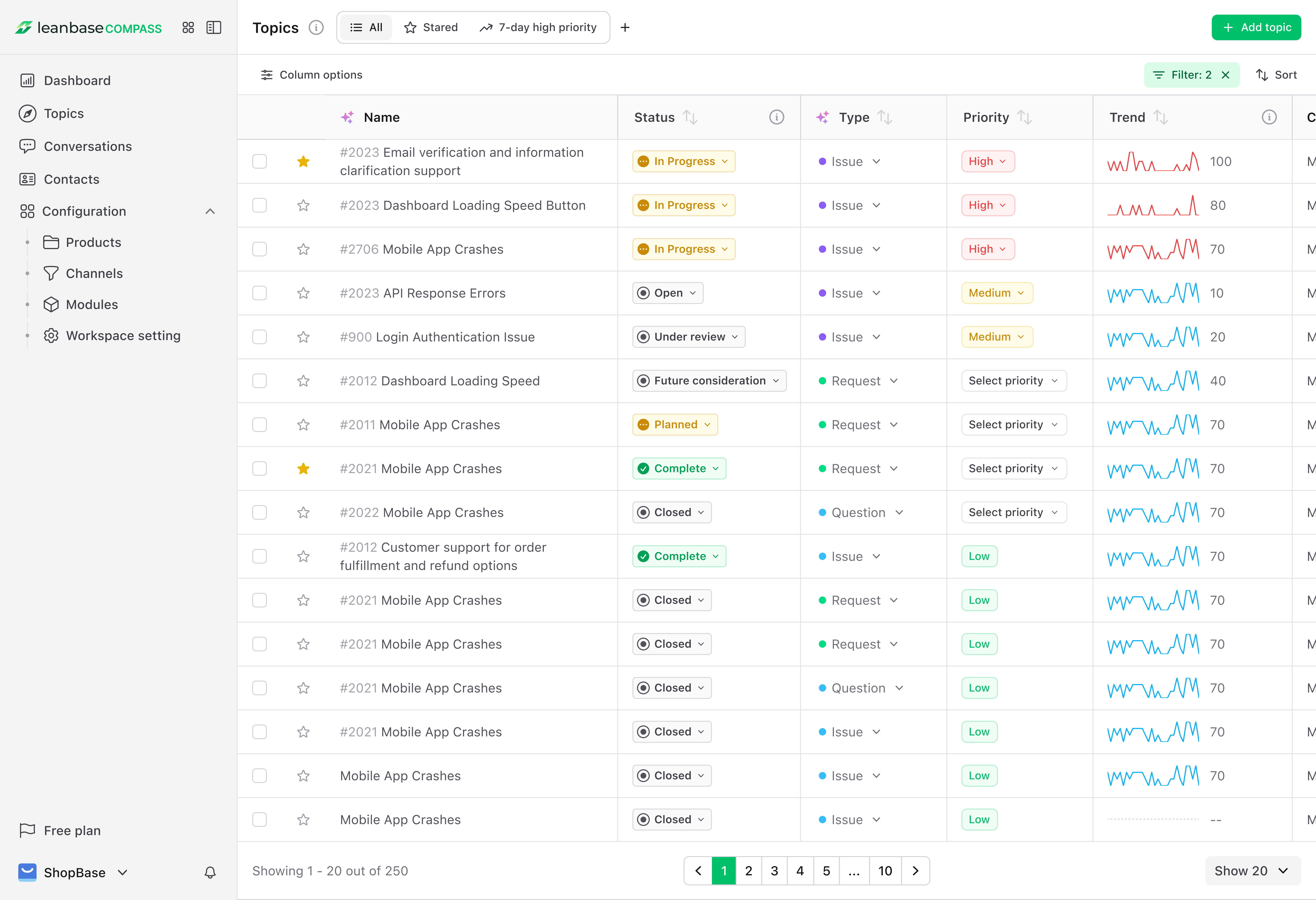
Explore Topics: Actionable insight powered AI with human refinement
Topics are the heart of Leanbase Compass, combining AI analysis with human expertise to uncover actionable insights from customer interactions.
Access Topics: View AI-driven insights from connected channels in the Topics tab.
Manage Topic Status: Set topic status (e.g., Open, Resurface, Under Review).
Organize Modules: Group related topics with AI-suggested or custom modules.
Track Trends: Click a topic to see volume trends over time.
Act on Insights: Spot trends, prioritize tasks, and improve customer satisfaction.
Pro Tip: You can make changes and save default views as new views. Starting with ease by working on your preferred view.
Explore Conversations: Unified customer conversation in one platform
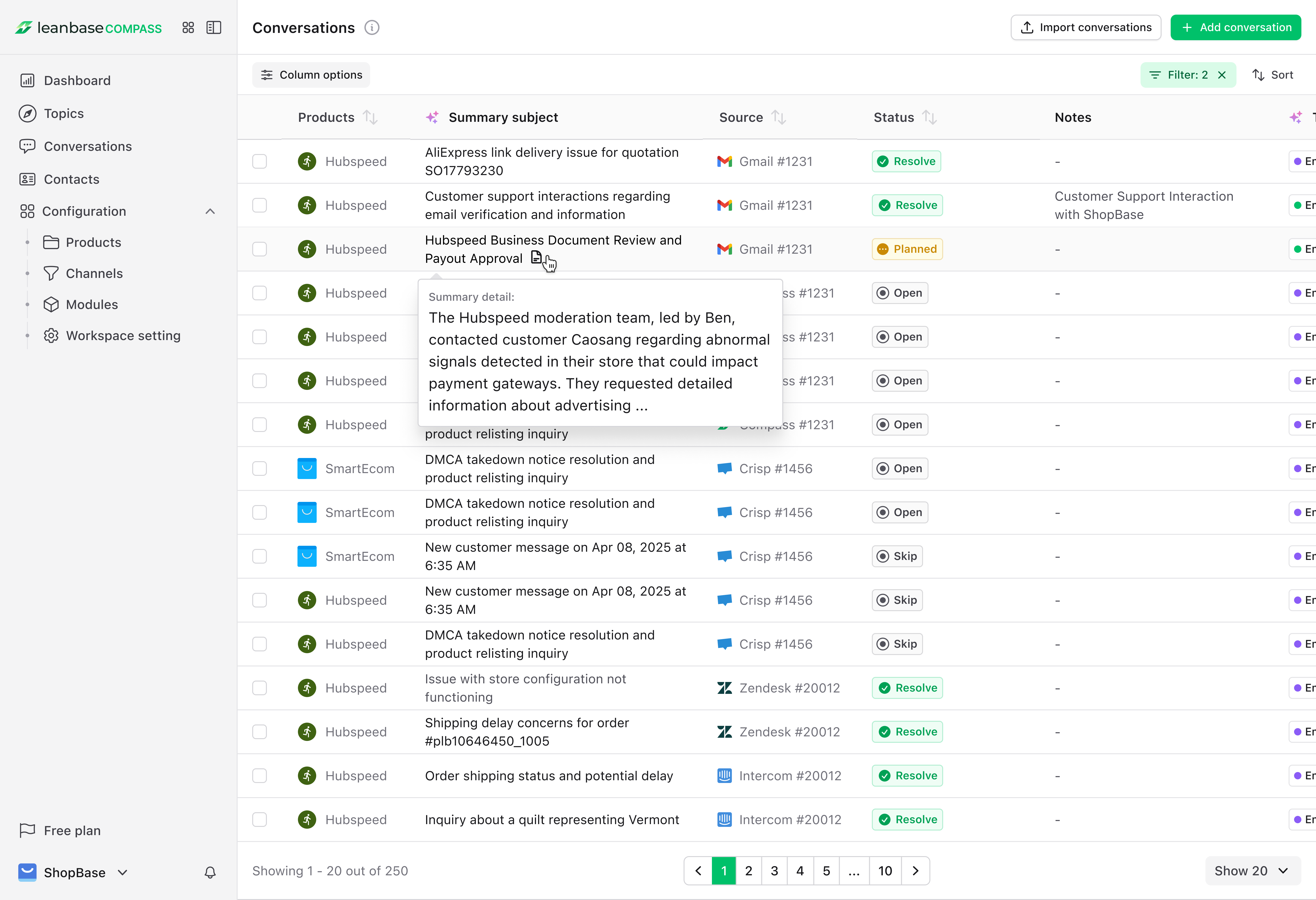
The Conversations tab provides a consolidated view of all tickets, feedback, and interactions pulled from your channels.
Filter Conversations: Sort by channel, topic, or date to find key interactions.
View Context: Click a conversation to see details, related topics, add notes, or star it.
Add Custom Chats: Upload user discovery notes or images for full context.
Track Trends: Use the Home Dashboard to spot conversation patterns over time.
Explore Contacts: Customer Data management
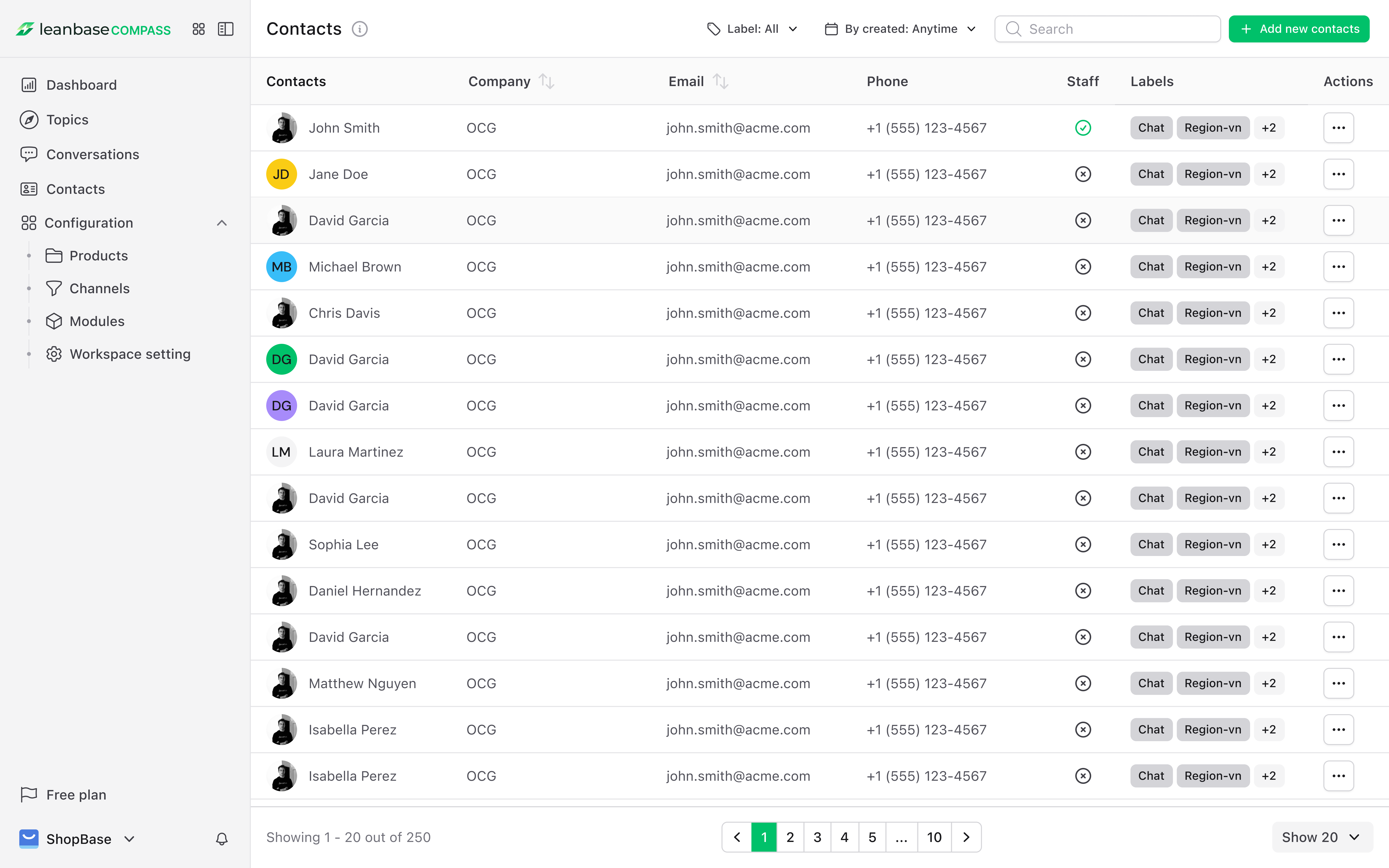
The Contacts section centralizes customer data for personalized engagement.
Import Contacts: Sync from your CRM or add manually.
View Profiles: See customer details and linked conversations.
Segment Contacts: Group by behavior or usage with customizable labels in Compass.
Explore Products: Showcase Your Company Offerings
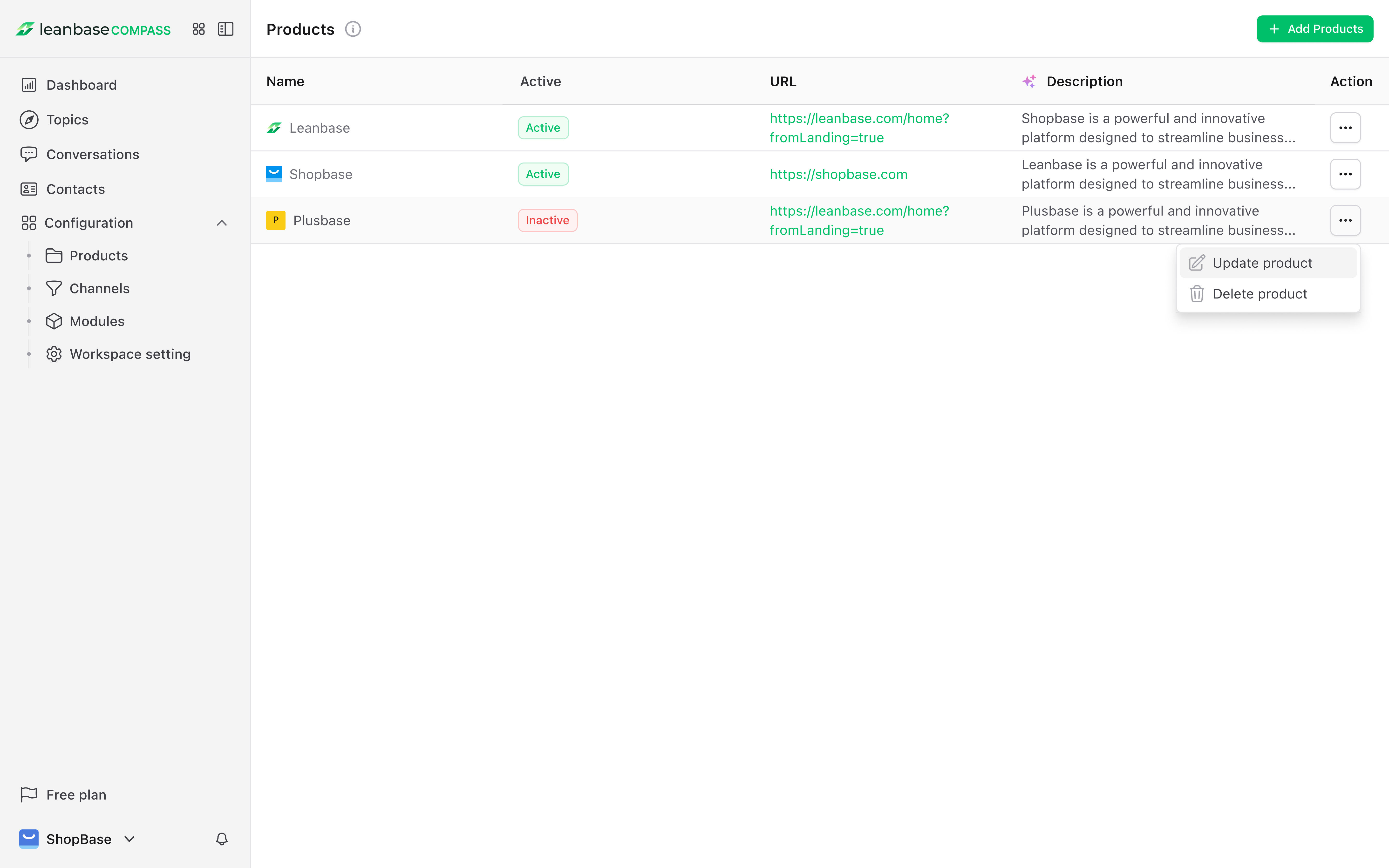
Link your company’s products to Leanbase Compass to track feedback and performance
Add Products: Go to Settings > Products to enter details manually or paste your website URL for AI-assisted setup. Add multiple items per firm for easy management.
Monitor Feedback: Use the Topics tab to filter and track product-related conversations and issues.
Track Conversations: Filter chats by product to respond to customer buzz at the right time.
Explore Modules: Organize Customer Insights
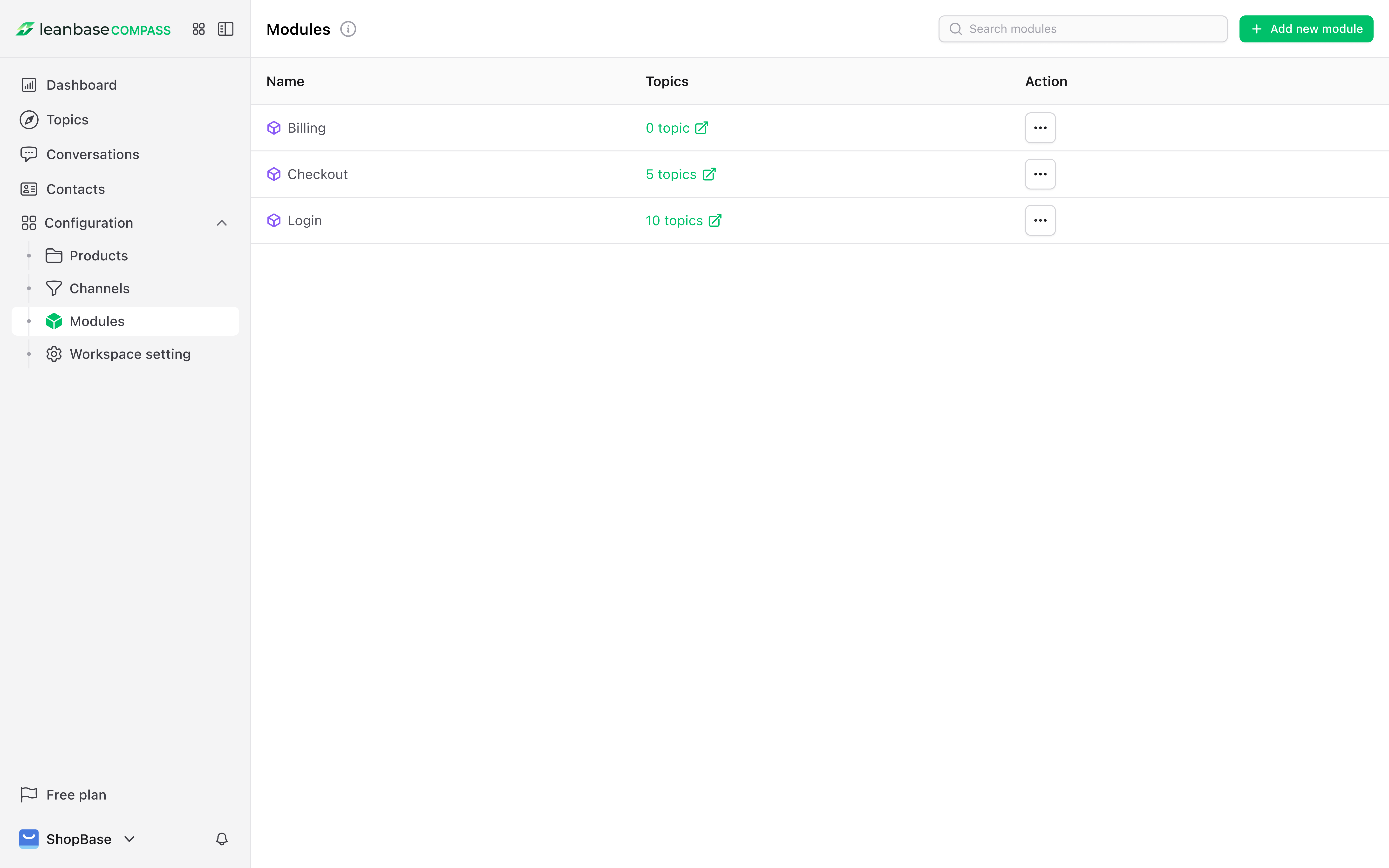
Modules: Group related topics for easier analysis. AI suggests matches, or you can create modules manually if needed.
Create Module: Go to Module > Create Module and name it (e.g., “Support Tickets”).
Assign Topics: Click a topic > Set Module > choose the target module.
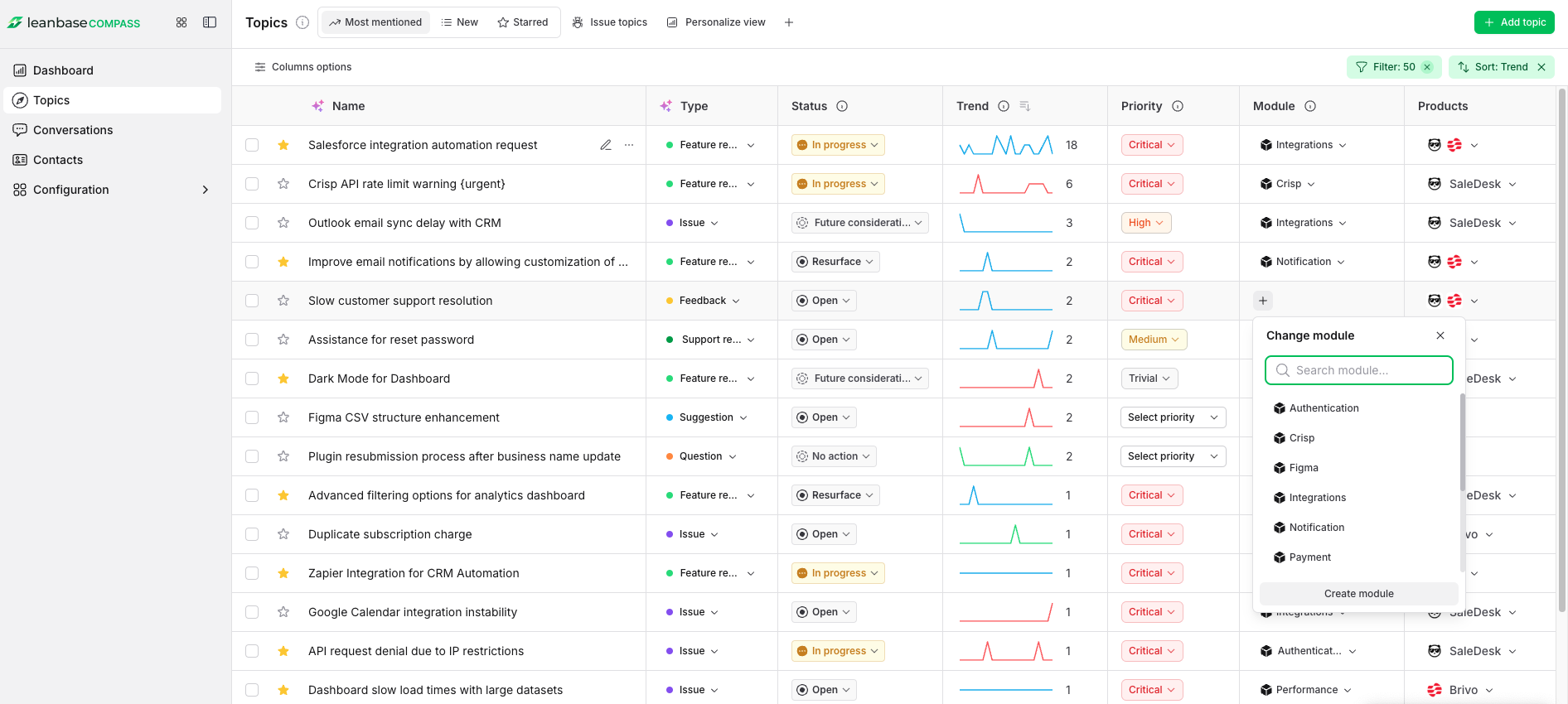
Delete Module: In the Module tab, select and delete the desired module.
Track Progress: Filter topics by module to monitor resolution.
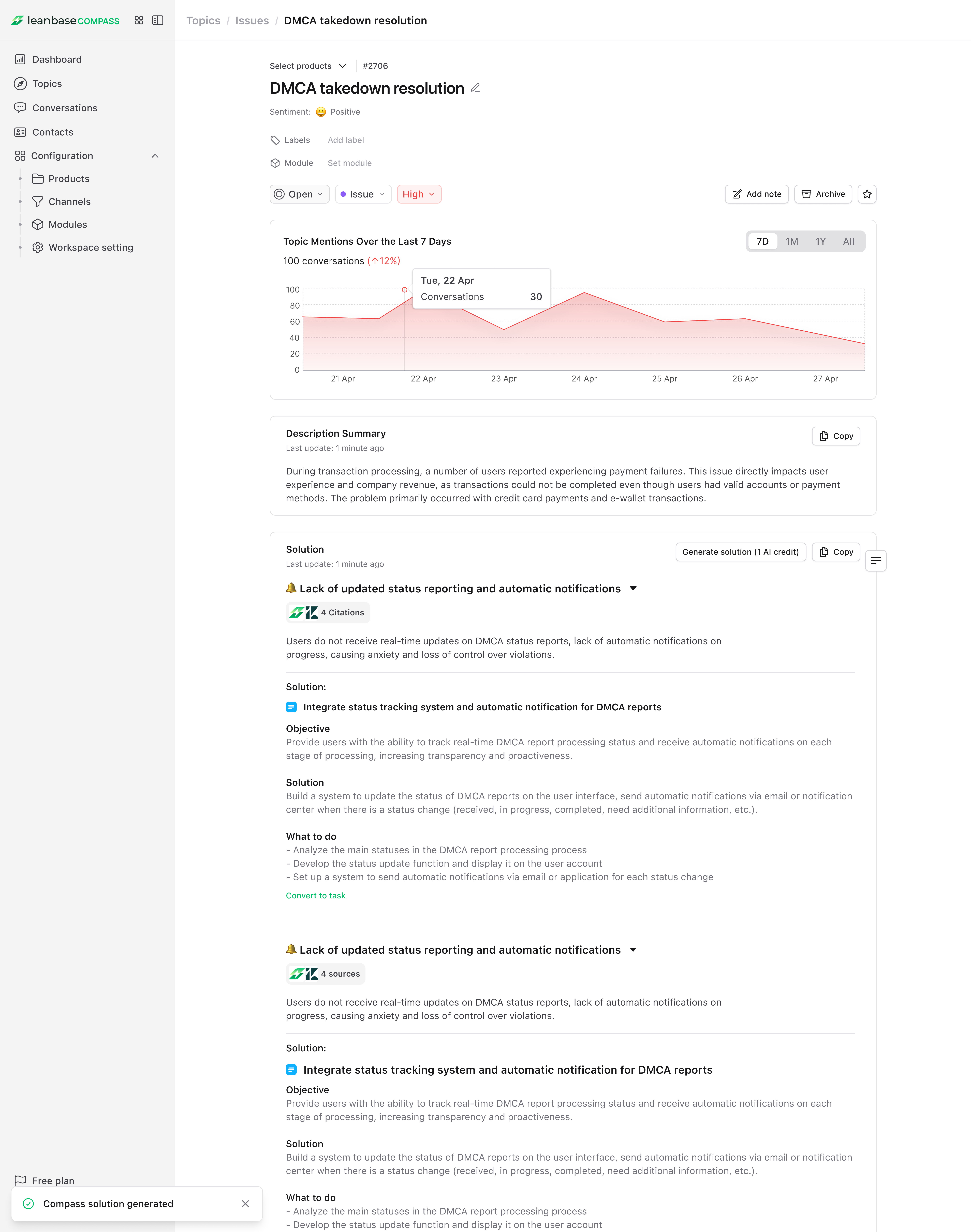
Explore AI Smart Assistant: Resolve Issues Faster
Our AI-powered smart assistant helps you tackle issues quickly.
Topic Insights: AI highlights key issues, root causes, and action steps.
One-Click Tasks: Instantly convert AI suggestions into trackable tasks.
Smart Assistant: AI summaries give teams quick context of issues for faster support.
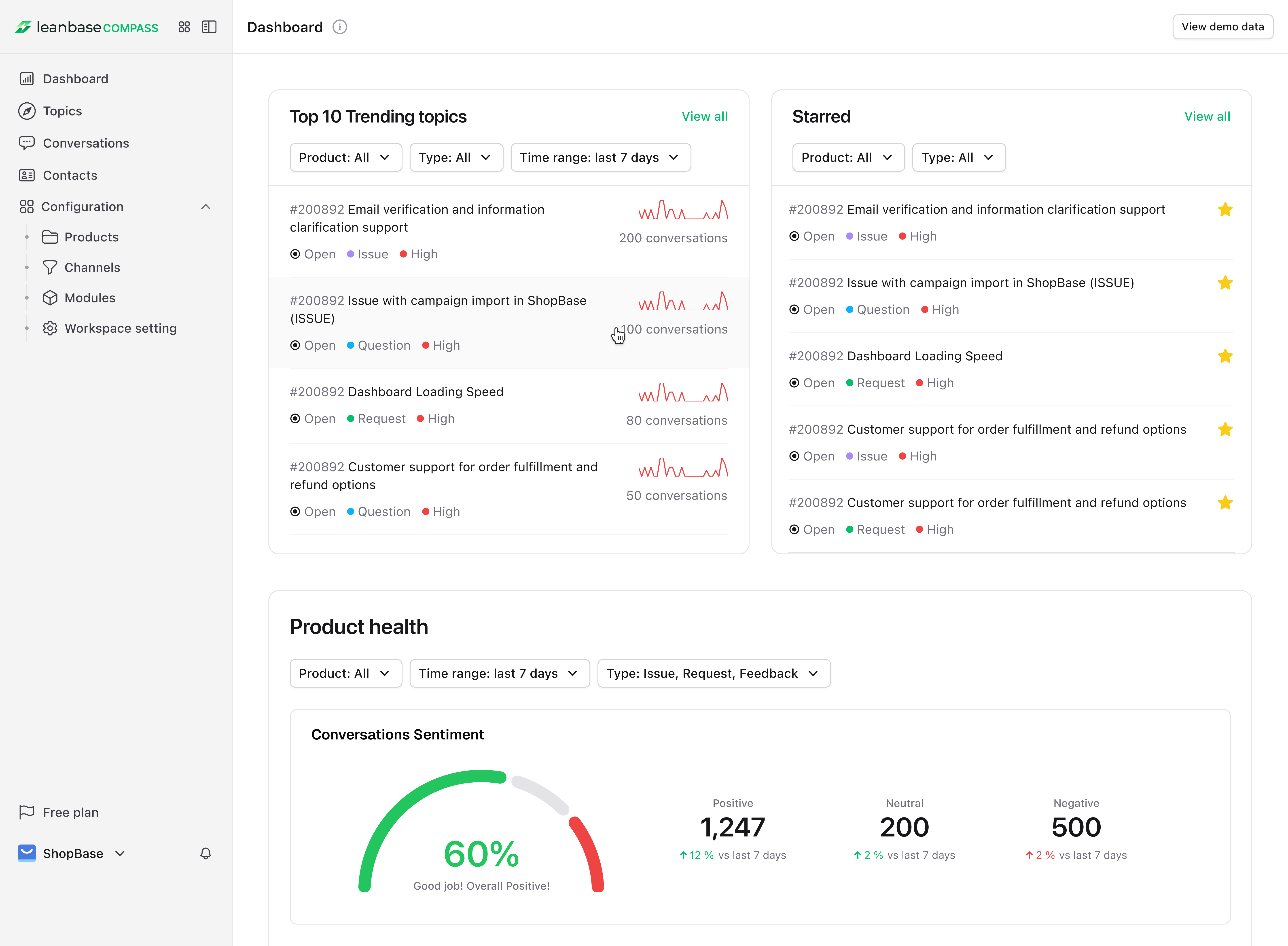
Explore Home Dashboard: Statistical Analysis
View Trends: Use the Home Dashboard to track conversation trends by topic, channel, or product.
Monitor Product Health: See stats on topic volume, open issues, and resolution rates.
Spot Patterns: Identify recurring issues or top topics by time range.
Export Reports: Download data for planning or presentations.
Prioritize: Focus on high-impact topics ranked by priority.
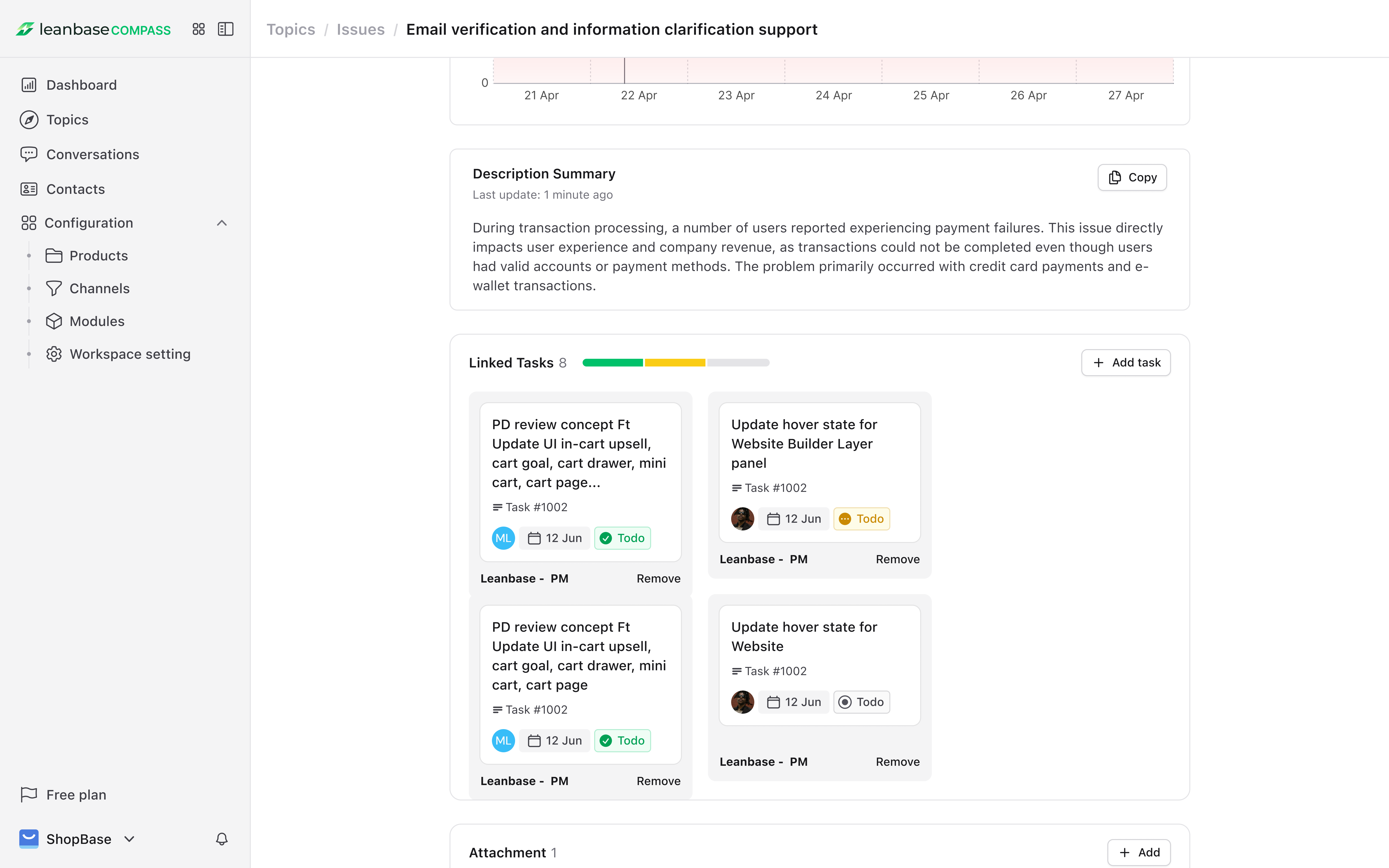
Integrate well with LeanTask: Create and Tracking Task effortlessly
Assign Tasks: Delegate follow-ups from the Conversations or Topics tab.
Track Progress: Use the Tasks dashboard to monitor status and deadlines.
Integrate Tools: Link tasks from your work management system for smoother collaboration.
Ready to Dive In?
Log in to Leanbase Compass now and connect your first channel to start unlocking insights. Need help? Our support team is just a click away. Let’s make your customer interactions smarter, faster, and more impactful!