Getting Started with Leanbase Analytics
Leanbase Analytics helps you understand how users interact with your product — from their first touch to long-term engagement and feedback.
This guide walks you through the core analytical tools in Leanbase: Funnels, Retention, Lifecycle, and Feedback Analysis.
1. Funnels Analysis
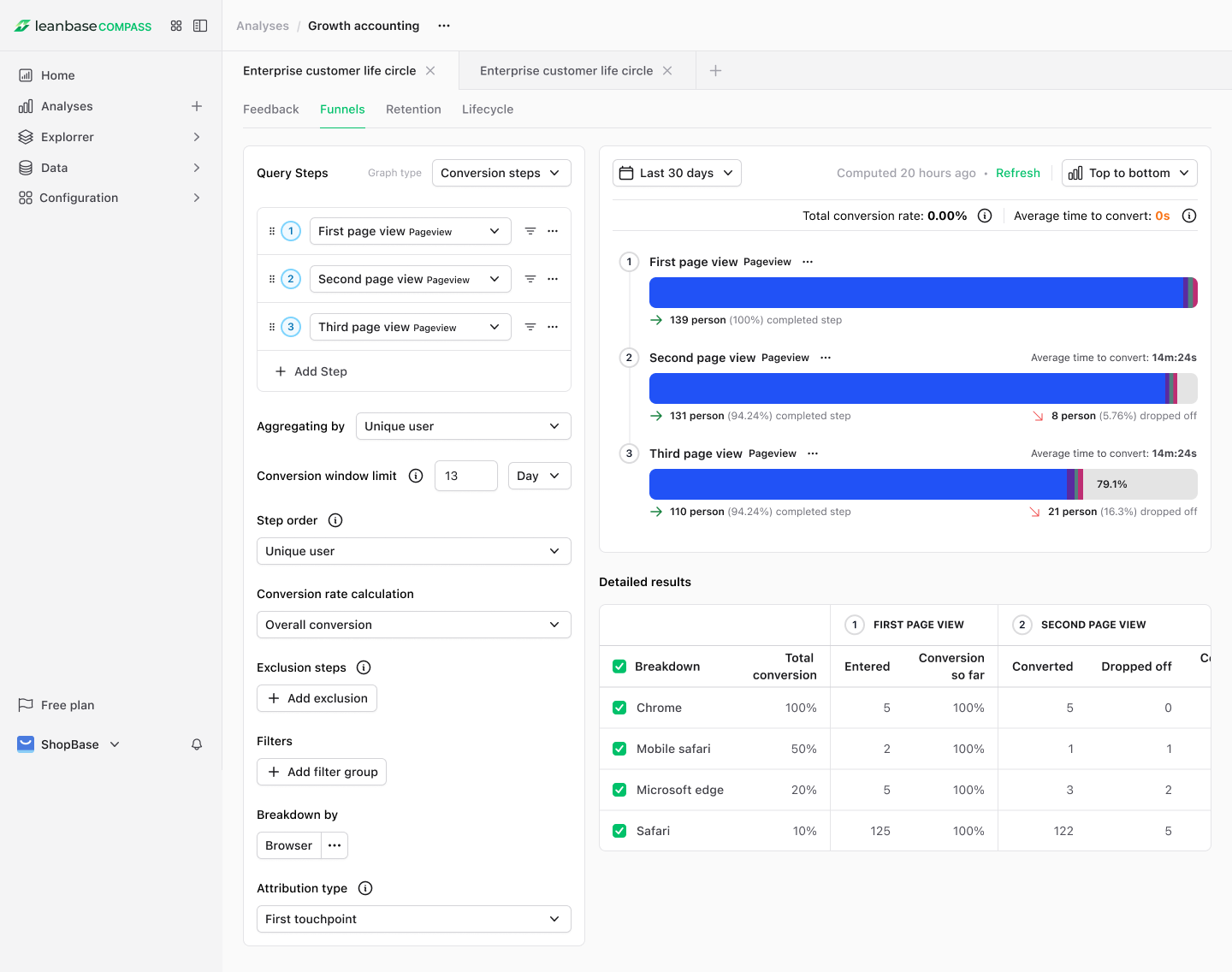
Funnels show you how users progress through a series of actions in your product — for example, visiting a page, signing up, and completing a payment.
Why Funnels Matter
Funnels help you identify friction points, drop-off stages, and conversion opportunities. They’re essential for optimizing onboarding flows, purchase journeys, and feature adoption.
How to Use
Go to Analysis menu
Create new Funnel Analysis
Define the steps in your funnel (e.g., Visited pricing page → Started checkout → Completed payment).
Apply filters such as device, browser, or cohort to compare user behavior across segments.
View conversion rates and step-by-step drop-offs in real time.
You can use Funnels to:
Detect where users abandon a flow
Compare conversion between different experiments or cohorts
Measure activation success for new features
2. Retention Analysis
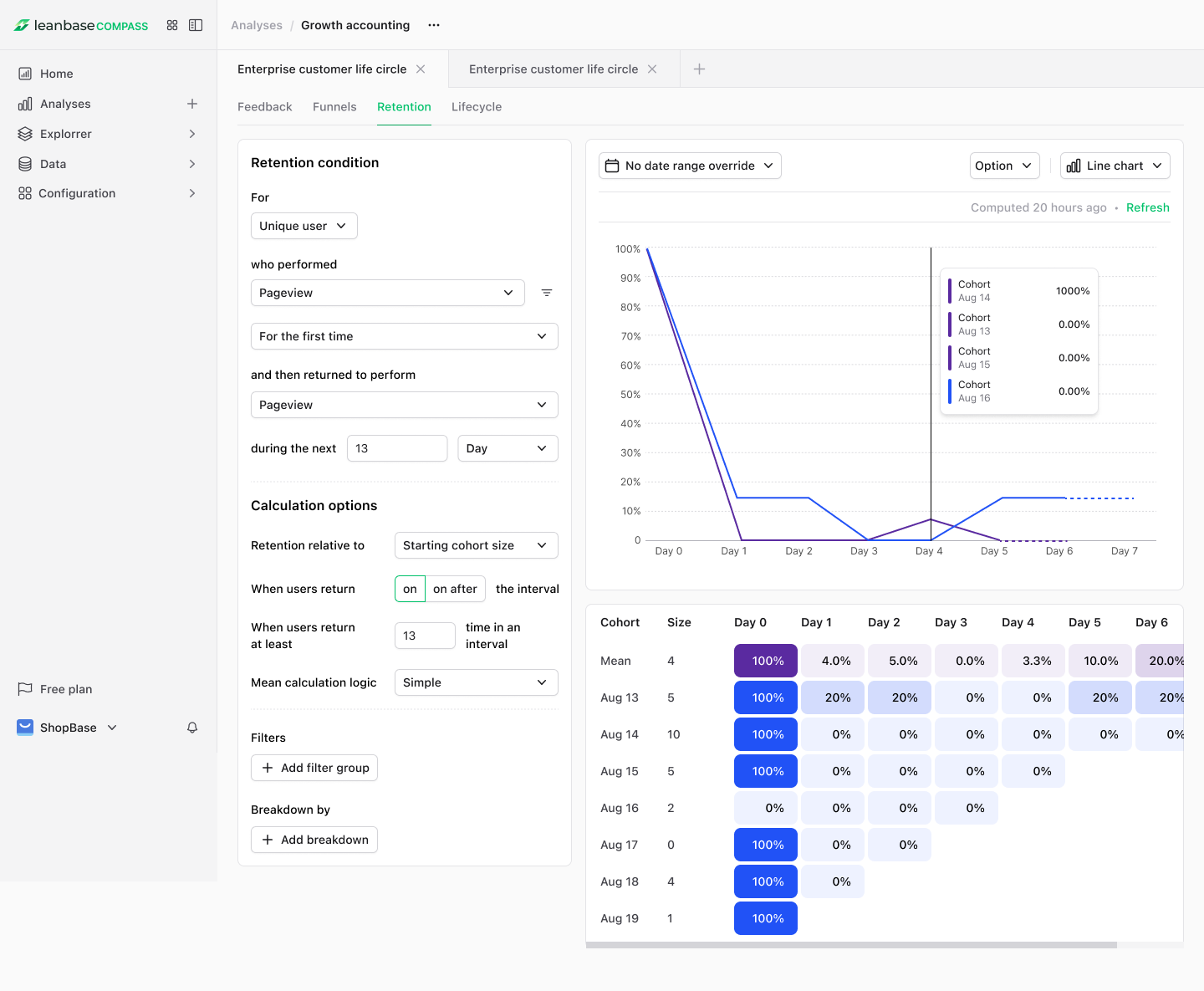
Retention measures how often users return to your product after their first interaction — helping you see if your product delivers lasting value.
Why Retention Matters
High retention means users find continued value in your product. Low retention signals potential churn or unmet needs.
How to Use
Go to Analysis menu
Create new Retention Analysis
Select a starting event (e.g., User signed up).
Choose the time frame (daily, weekly, or monthly).
Track how many users return and perform another key action.
You can use Retention to:
Measure how sticky your product is
Identify which cohorts retain best
Detect early churn patterns
Validate the long-term impact of feature releases
3. Lifecycle Analysis
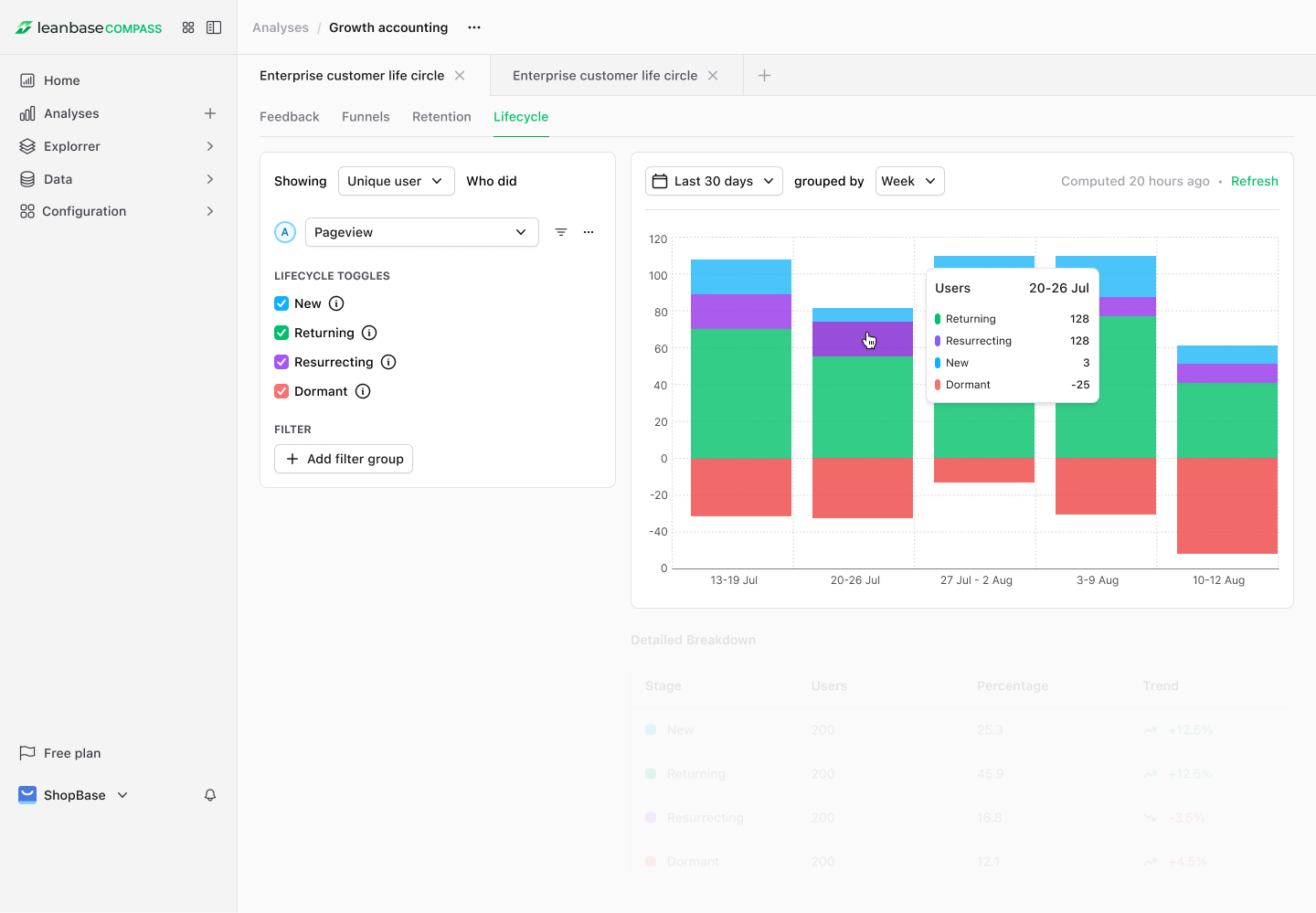
Lifecycle Analysis groups users by their stage in the engagement journey — such as new, active, resurrected, dormant, or churned.
Why Lifecycle Matters
It gives a holistic view of user health and helps you design personalized campaigns to activate, retain, or win back users.
How to Use
Go to Analysis menu
Create new Lifecycle Analysis
View the Lifecycle dashboard to see distribution across stages.
Segment users based on their recent activity or inactivity.
Create targeted experiments or messages for each stage.
You can use Lifecycle to:
Monitor product engagement health
Identify users at risk of churn
Measure the effectiveness of reactivation campaigns
Understand growth momentum across user stages
4. Feedback Analysis
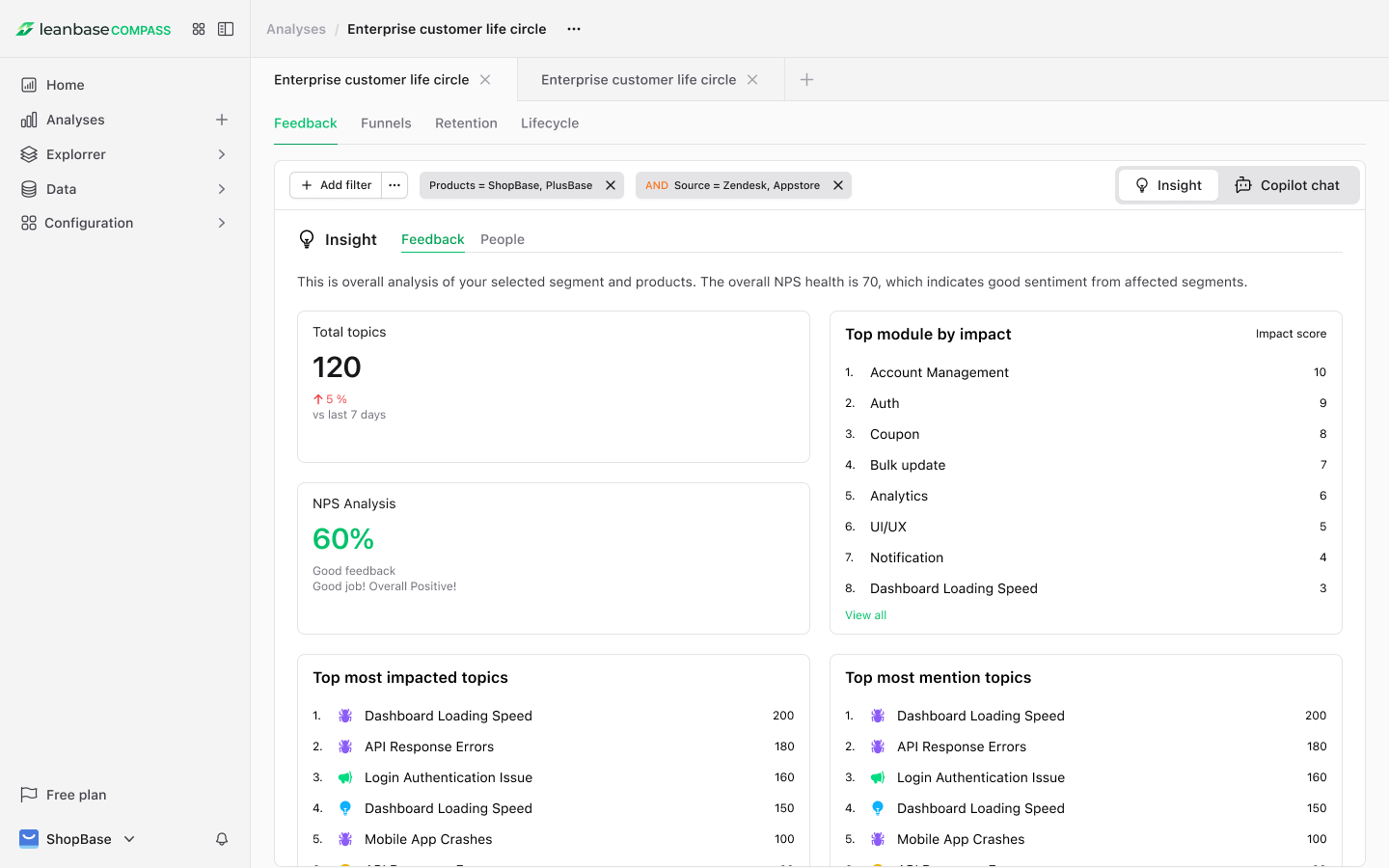
Feedback Analysis in Leanbase provides a semantic layer to deep down on your wanna drill-down selected feedback through actionable insights about product health, people insights
It helps you understand what users are saying — and why it matters — by organizing feedback into topics, modules, and impact rankings.
Why Feedback Analysis Matters
Instead of manually reviewing thousands of messages, Leanbase’s semantic AI automatically interprets and summarizes feedback themes across all conversations, tickets, and surveys.
This gives product teams a high-level view of product health, user sentiment, and priority issues — all backed by real user context.
How it Works
Impact Ranking — Each topic and module is automatically ranked by user impact, volume, and sentiment intensity.
Health Overview — Leanbase aggregates these rankings into a Product Health Overview, showing the balance between positive and negative feedback across your product.
-
Deep Exploration — From any topic or module, you can:
View people insights — see which user cohorts or segments share the same feedback.
See what they have in common - see the correlation of the people insights in the selected feedback
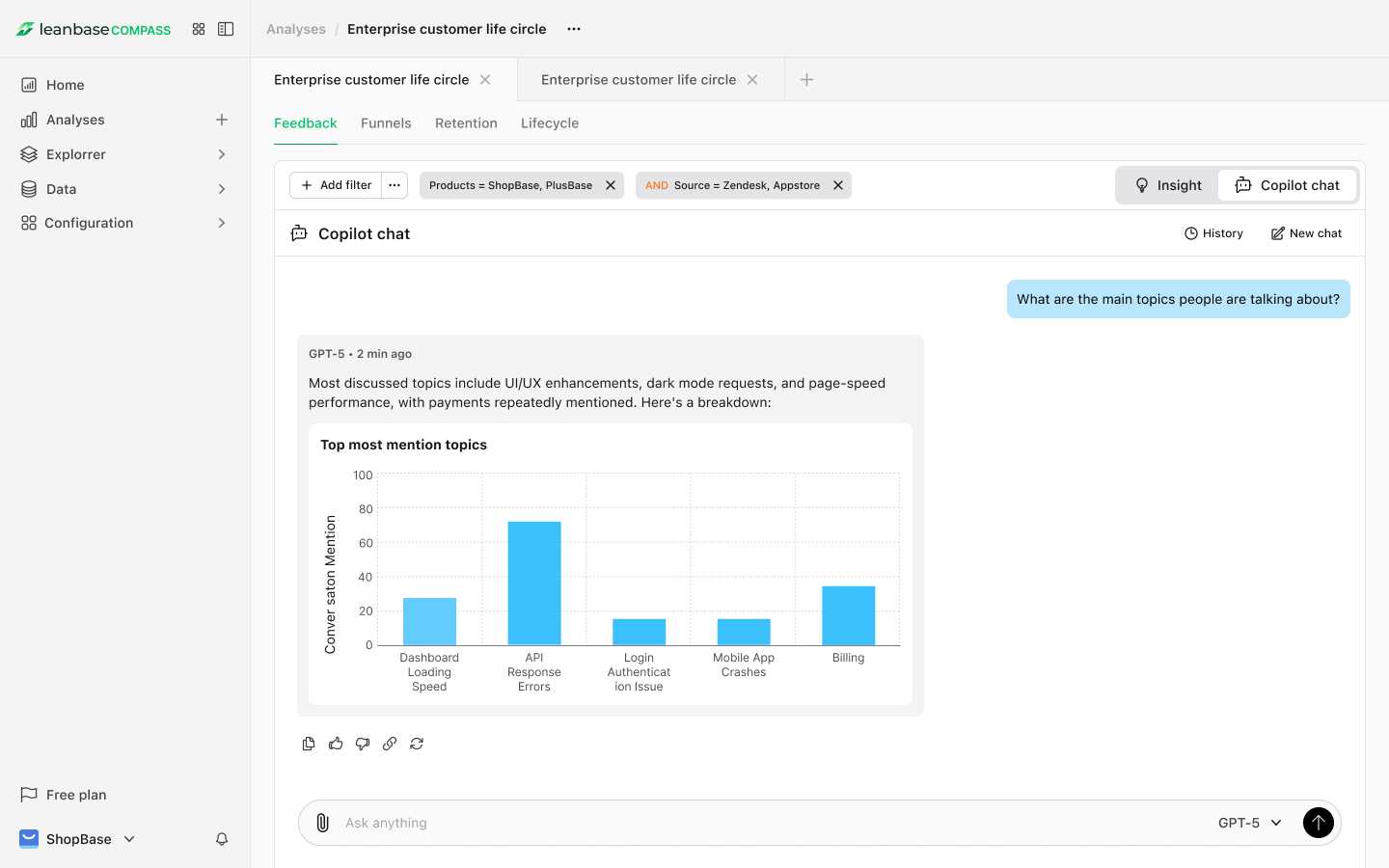
Chat with AI — ask follow-up questions like “Why are users frustrated with onboarding?” or “What feature requests appear most often for Pro users?” to get contextual summaries instantly.
You can use Feedback Analysis to:
Understand overall product health and detect emerging risks early
See which modules or topics impact user satisfaction most
Rank issues by impact to focus your roadmap effectively
Drill down into cohorts or individuals driving specific trends
Chat with Leanbase AI to explore causes, emotions, and improvement opportunities behind feedback patterns