The Task Explorer in Leanbase streamlines task management and enhances collaboration. It allows users to focus on their tasks, view others' assignments, and manage workflows efficiently, with role-based permissions controlling task visibility.
Task explorer in Leanbase
The Task Explorer is your centralized hub for tracking and managing tasks. It provides a clear overview of your responsibilities and those of your team members. Key features include:
Personalized task view: Focus on tasks assigned to you.
Team task visibility: Switch to member tabs or search for specific individuals to view their tasks.
Manage my tasks
Navigate to the Tasks tab.
-
View all tasks assigned to you, classified as:
To Do: Includes all tasks except those in the Done column.
Complete: Includes all tasks in Done column.
Update or add task details such as status, due date, board, or label.
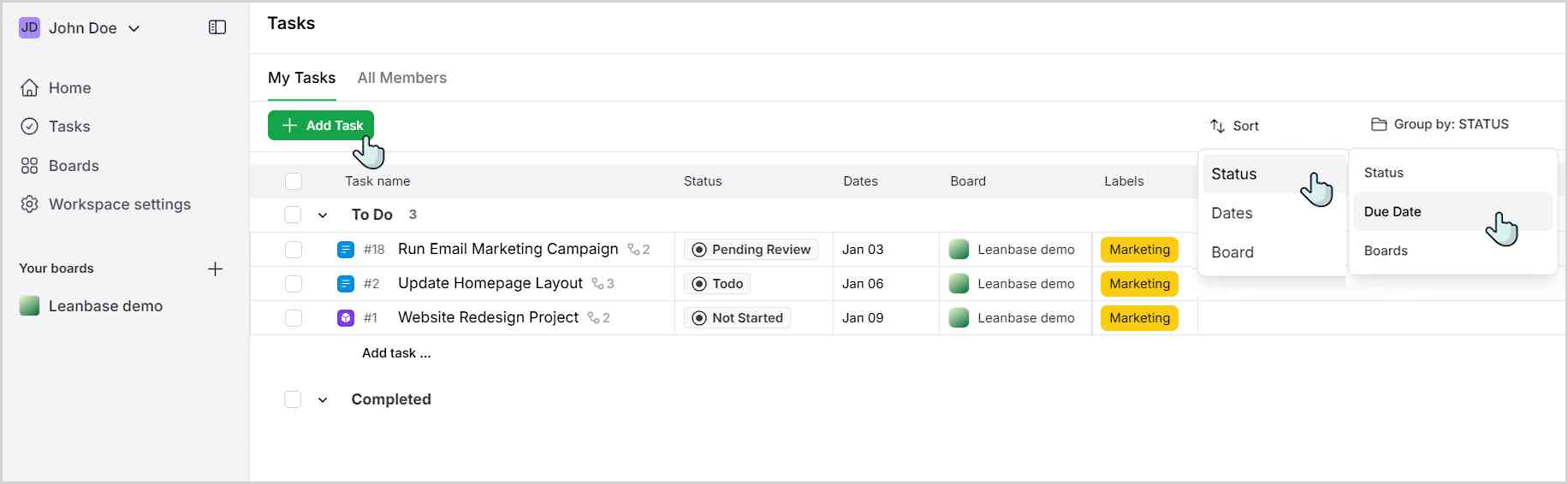
Use filters to sort tasks by criteria such as status, date, or board.
Add a new task directly within the view page.
Assign tasks for yourself
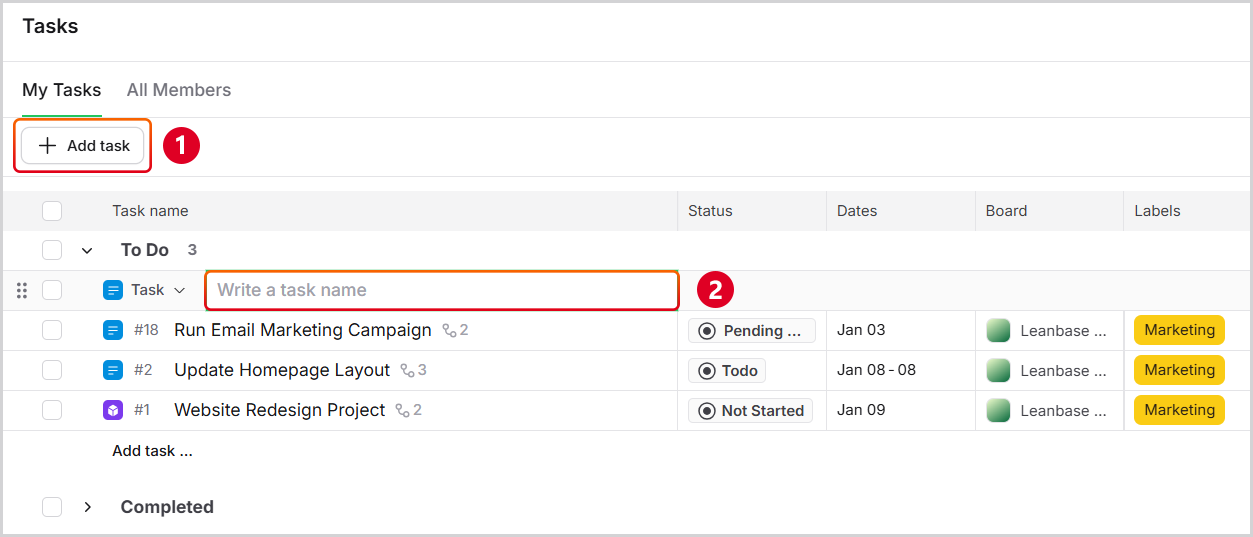
Adding a new task in the My Tasks tab will automatically assign it to you.
Navigate to My tasks on Task
Click button Add task
Type a task name
Enter to save task